





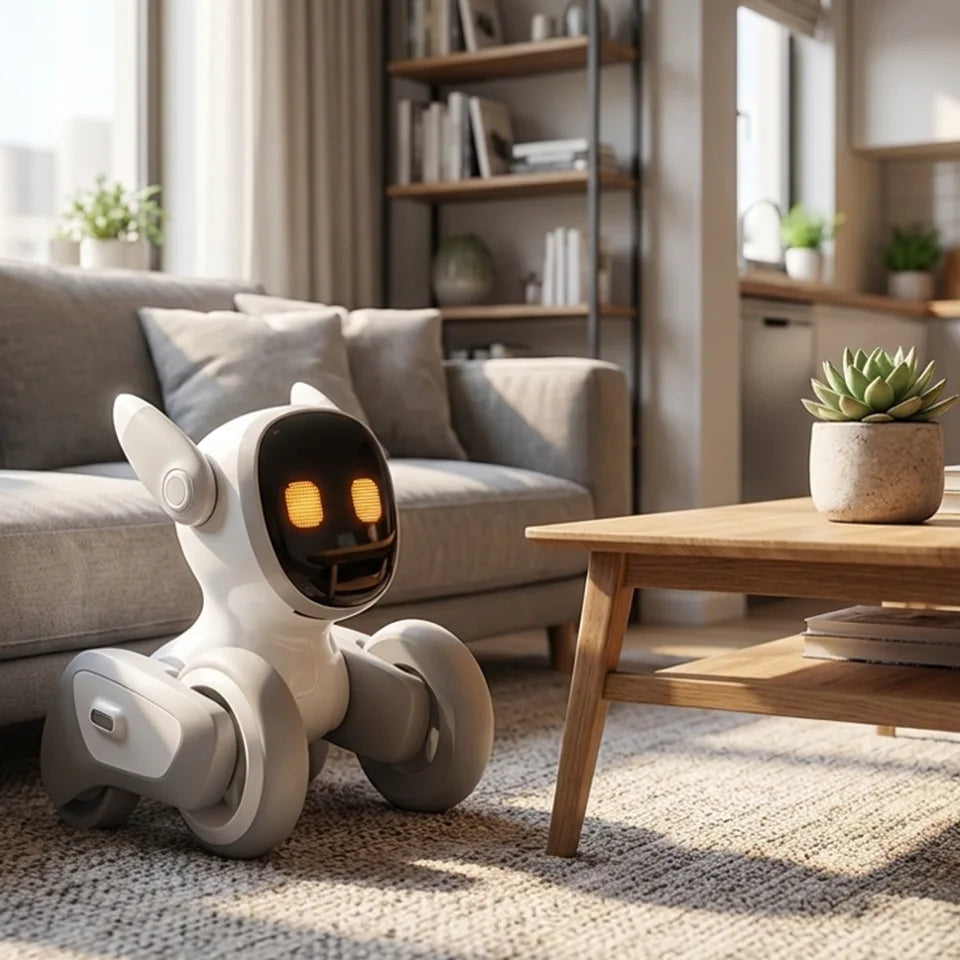
Best Pet Robot for Apartment Living: Top Smart Companions for Small Spaces
March 19, 2026
Living in an apartment changes the way people think about companionship. Maybe your building has pet restrictions. Maybe your schedule is too packed for daily walks. Maybe you love animals but do not love barking through thin walls, fur on every surface, or surprise vet bills when rent is already high. That is exactly where pet robots have started to make real sense.
A good robot pet will not replace the emotional depth of a living animal for everyone. But for many apartment dwellers, it can offer something surprisingly valuable: presence, interaction, routine, and a little personality in a space that may otherwise feel quiet or empty. The best ones are compact, low-maintenance, and smart enough to feel engaging without becoming one more gadget you forget in a drawer.
In this guide, we look at the best pet robots for apartment living, what makes them work well in small spaces, and how to choose the right smart companion for your lifestyle.
Why Apartment Dwellers Are Turning to Pet Robots
Apartment life comes with trade-offs. You get location, convenience, and efficiency, but often less room to move, less privacy, and more rules to work around. Traditional pets can still be wonderful in that setting, but they are not always practical. That is why robot pets appeal to a growing group of people.
Some want companionship without the long-term responsibility of a live animal. Others want a playful, interactive presence at home without worrying about noise complaints, cleaning, feeding schedules, or finding pet care while traveling. For people with allergies, strict landlords, or unpredictable work hours, a pet robot can feel like a smart middle ground.
There is also a simpler reason: small spaces can feel lonely. A responsive robot companion adds motion, sound, and interaction to a home in a way static tech products do not. The best ones feel less like toys and more like tiny personalities that happen to fit on your floor, desk, or coffee table.
What Makes a Pet Robot Good for Apartment Living?
Not every robot pet is a good fit for a small home. Some are too bulky. Some are too noisy. Some look impressive in a demo but do not hold your attention for more than a few days.
If you are choosing a pet robot for apartment living, these are the factors that matter most.
Compact Size and Small Footprint
In a larger home, a bulky gadget can disappear into the background. In a studio or one-bedroom apartment, every object has to earn its place. The best robot pets for small spaces are easy to move, easy to store, and do not demand a dedicated room or oversized charging station.
Quiet Operation
Noise matters more when your neighbors are on the other side of a wall. A robot that hums loudly, plays constant sounds, or makes sharp mechanical movements can quickly become annoying in an apartment. A good apartment-friendly pet robot should feel lively without being disruptive.
Smart Interaction
This is where the best products separate themselves from novelty devices. A robot pet should do more than move around randomly. It should respond, react, and create the feeling of interaction. Touch response, expressive movement, voice response, and playful behaviors all help a robot feel more companion-like.
Low Maintenance
One of the main reasons people consider a robot pet is convenience. If it constantly needs troubleshooting, difficult setup, or frequent charging, the experience starts to lose its appeal. A good apartment robot should be easy to live with.
Indoor-Friendly Design
Apartments usually mean tighter corners, more furniture, and less open floor space. A robot pet designed for indoor use should navigate reasonably well, function in compact environments, and feel natural in everyday home settings.
A Clear Best-Fit Use Case
The best robot for one person may be the wrong pick for another. Some people want emotional comfort. Some want entertainment. Some want something child-friendly. Others want a sophisticated AI companion with more personality. The right product depends on what role you want it to play in your daily life.
Quick Picks: Best Pet Robots for Small Apartments at a Glance
Before we go deeper, here is the short version.
Best overall for apartment living: Loona Robot
Best premium lifelike robot dog: Sony aibo
Best emotional comfort companion: Moflin
Best ultra-compact AI companion: AIBI Pocket
Best for seniors: ElliQ
Best for kids in apartments: Emo
Best for buyers watching cost and space: Eilik
7 Best Pet Robots for Apartment Living in 2026
Finding the best pet robot for apartment living means choosing a smart companion that truly fits a small space. The ideal robot pet for an apartment should be compact, low-maintenance, quiet enough for shared walls, and interactive enough to feel engaging at home.
The picks below include the best pet robots for small apartments, with options for different needs, budgets, and lifestyles. Whether you want playful interaction, emotional comfort, or a simple low-maintenance companion, these apartment-friendly choices stand out for modern small-space living.
Loona Petbot — Best Interactive Pet Robot for Apartment Living
Loona Petbot stands out because it feels built for indoor living. It is compact enough for smaller homes, expressive enough to feel engaging, and interactive in a way that makes it more than a decorative gadget. For apartment dwellers who want a smart companion with movement, personality, and playful behavior, Loona makes a strong case.
What makes Loona especially appealing for small spaces is that it offers active interaction without the real-world demands of a live pet. There is no shedding, no odor, no feeding schedule, and no early-morning walk when you would rather sleep. Yet it still creates the sense that something responsive and curious is sharing your space.
Why it is great for apartments
Loona works well in apartments because it is designed for indoor interaction. It does not need a backyard, large play zone, or major setup. It can bring energy and companionship into a limited living area without creating the logistical headaches that often come with real pets.
Standout features
Its expressive reactions, playful behavior, and smart interaction style give it a stronger sense of character than many simpler robot pets. It feels especially well-suited to people who want daily engagement rather than a passive display piece.
Pros
Compact and apartment-friendly
More interactive than many basic robot pets
Low-maintenance alternative to a real pet
Good fit for adults, couples, and small families
Cons
Best for people who want active engagement, not a soft emotional-comfort experience
Premium features may matter less to users on a tighter budget
Best for
Apartment dwellers who want a smart, playful, expressive robot companion for everyday indoor life.
Bottom line
If your top priority is finding a pet robot that feels lively, modern, and truly suited to small-space living, Loona is one of the strongest choices in this category.
Sony aibo — Best Premium Lifelike Robot Dog
If what you want is the closest thing to a robot dog that behaves like a real pet, aibo is still one of the most recognizable names in the category. It leans heavily into the idea of a robot companion with a dog-like personality, and that makes it attractive for buyers who want something more lifelike than toy-like.
For apartment living, the appeal is obvious: you get some of the emotional charm of a dog without walks, accidents, or pet restrictions. Still, aibo makes the most sense for buyers with a bigger budget and a strong preference for premium design.
Why it is great for apartments
It brings a recognizable dog-like experience into a home without the care burden of a live animal. For people who miss having a dog but cannot keep one in their apartment, that can be a meaningful benefit.
Standout features
Dog-inspired movement, recognizable personality cues, and a premium presentation.
Pros
Strong lifelike appeal
Familiar robot dog concept
Good option for people who want a premium experience
Cons
Expensive
Not the most practical choice for every buyer
Better for high-intent enthusiasts than casual shoppers
Best for
People who want the most premium robot dog experience possible in an apartment.
Bottom line
Aibo is a luxury pick, not a universal one. But for the right buyer, it delivers one of the most convincing robot-pet experiences available.
Moflin — Best Emotional Support Companion for Small Spaces
Not every apartment dweller wants a mobile, highly energetic robot. Some want something quieter, softer, and more emotionally soothing. That is where Moflin fits in.
Moflin has a different emotional profile from many robot pets. It is less about active roaming and more about comfort, touch, and bonding. In a small apartment, that can actually be an advantage. It feels gentle, intimate, and easy to integrate into a slower routine.
Why it is great for apartments
Its small form and lower-key presence make it ideal for homes where calm matters more than spectacle.
Standout features
A comfort-first design and a more nurturing style of interaction.
Pros
Small and easy to keep in compact spaces
Feels warm and emotionally oriented
Good match for quiet home environments
Cons
Less dynamic than more active robot pets
Not ideal if you want playful floor movement or a lively companion
Best for
People who want emotional comfort and a calmer experience in a small home.
Bottom line
Moflin is a smart choice for buyers who want softness and companionship over action and novelty.
AIBI Pocket — Best Ultra-Compact AI Companion
Some apartments are not just small. They are very small. If you live in a studio, share a space, or simply want something that does not take over your room, a tiny AI companion can make more sense than a larger floor-based robot.
AIBI Pocket is appealing because it keeps the idea of a smart companion while shrinking the physical demand on your home. It is the kind of product that fits neatly into modern small-space living.
Why it is great for apartments
Its form factor is one of its biggest strengths. You do not have to reorganize your room around it, and it suits minimalist setups.
Standout features
Tiny footprint, digital-companion appeal, and easy integration into daily routines.
Pros
Excellent for very small apartments
Easy to place on a desk or side table
Good for users who want companionship without clutter
Cons
Less physically pet-like than larger robot companions
May feel more like an AI companion than a classic robot pet
Best for
Studio apartment residents, desk users, and buyers who value compact design above all else.
Bottom line
If space is your number-one limitation, a smaller AI companion can be the smartest pick.
ElliQ — Best Smart Companion for Seniors Living Alone
ElliQ is not a traditional robot pet in the furry or animal-like sense, but it belongs in this conversation because many people searching for a “pet robot” are actually looking for companionship first. For seniors living alone in apartments or smaller homes, that distinction matters.
ElliQ is more about presence, interaction, and support than playful pet imitation. That makes it especially relevant for people who want regular engagement and a feeling of company at home.
Why it is great for apartments
It does not require much space, and its value is more about daily interaction than physical movement.
Standout features
Companionship-oriented design and suitability for solo living.
Pros
Strong fit for older adults
Designed around regular interaction
Low space demand
Cons
Less pet-like than other options here
Better understood as a companion robot than a robot animal
Best for
Seniors or families shopping for companionship-focused technology in a small home.
Bottom line
If the real goal is reducing loneliness rather than simulating pet ownership, ElliQ can be a better fit than a more playful robot pet.
Emo — Best for Kids in Apartments
Children in apartments often have the same limitation adults do: not enough room, too many rules, or not enough time for a real pet. Emo works best as a playful smart companion that brings some of the fun of a pet into a small living environment.
It is entertaining, expressive, and easier to manage than a live animal, making it appealing for families who want something interactive without the mess.
Why it is great for apartments
It suits indoor play and does not demand the daily effort of caring for a live pet in a compact space.
Standout features
Fun interaction style, expressive design, and kid-friendly appeal.
Pros
Entertaining for kids
Compact enough for apartment use
Easier than managing a live pet in a small home
Cons
May feel more gadget-like than emotionally companion-like
Not every adult buyer will connect with its style
Best for
Families with children who want a fun smart companion in a small apartment.
Bottom line
Emo makes sense when your goal is lighthearted interaction and family-friendly fun rather than realism.
Eilik — Best Small Desktop Robot for Tight Budgets and Tiny Spaces
Not everyone wants to spend premium money on a robot pet. Some buyers simply want a compact, expressive little companion that adds personality to a desk, shelf, or work-from-home setup.
That is where a desktop robot like Eilik can shine. It is not trying to replace a dog or cat. It is trying to make your space feel more lively, and for many apartment dwellers, that may be enough.
Why it is great for apartments
It takes up very little space, works well in small rooms, and feels approachable for first-time buyers.
Standout features
Desktop-scale design and a more affordable way into the companion robot category.
Pros
Small footprint
Easier entry price than premium robot pets
Good fit for desks and compact setups
Cons
Less immersive than larger interactive robot companions
Limited if you want a more pet-like experience
Best for
Budget-conscious buyers, students, and people living in very compact spaces.
Bottom line
If you want charm and interaction without spending heavily or sacrificing room, Eilik is an easy recommendation.
Best Pet Robot by Apartment Lifestyle
The “best” robot pet often depends less on the product itself and more on how you live.
Best for Studio Apartments
AIBI Pocket or Eilik make the most sense when every inch matters. Their small footprint makes them easy to live with, especially in homes where floor space is already limited.
Best for Quiet Apartment Buildings
Moflin is a strong fit for quieter environments because its appeal is more about gentle companionship than active movement.
Best for People Who Cannot Have Real Pets
Loona and aibo both make sense here, depending on whether you prefer a more modern smart companion or a more dog-like experience.
Best for Busy Professionals
Loona is an excellent option for people who want interaction and personality without real-pet responsibilities. It gives you something lively at home without asking much in return.
Best for Seniors
ElliQ is the most natural pick when companionship matters more than pet simulation.
Best for Kids in Small Homes
Emo works well for families who want a playful, easy-to-manage robot companion in an apartment setting.
Pet Robot vs Real Pet in an Apartment: Which Makes More Sense?
This depends on what you are really looking for.
A real pet offers emotional depth, unpredictability, and a type of bond that no robot can fully copy. For many people, that remains irreplaceable. But apartment life can make real pet ownership more complicated than people expect. Limited space, landlord restrictions, rising costs, neighbor complaints, and time constraints all add up.
A robot pet changes that equation.
You get companionship without vet visits, litter boxes, daily walks, shedding, or pet deposits. You also avoid many of the conflicts that come with pet ownership in shared buildings. That makes robot pets especially appealing for renters, frequent travelers, allergy-sensitive households, and people who simply want a lighter version of companionship.
Still, a robot pet is not automatically the better choice. It is the better choice for people whose lifestyle, space, or housing situation makes a live animal less practical.
If what you want most is emotional warmth, routine, and a living relationship, a real pet may still be right for you. If what you want is interaction, presence, and low-maintenance companionship that fits small-space living, a robot pet may be the smarter fit.
How to Choose the Right Smart Companion for a Small Space
Start with the role you want the robot to play.
If you want something lively and expressive that feels active in your home, look at Loona. If you want a comfort-oriented experience, Moflin may be the better fit. If you want a premium dog-like robot, aibo makes more sense. If you want something extremely compact, focus on smaller companions like AIBI Pocket or Eilik.
Then think about your actual apartment.
Do you have floor space, or only desk space? Do you live in a quiet building? Are you shopping for yourself, for a child, or for an older parent? Do you want something playful, emotionally soothing, or more assistant-like?
It also helps to be honest about attention span. Some products are fun because they are novel. Others keep working because they fit naturally into your daily life. The best apartment-friendly pet robot is usually the one that feels easy to enjoy over time.
Common Downsides of Pet Robots in Apartments
Pet robots have clear strengths, but they are not perfect.
The first downside is cost. Some of the more advanced options can be expensive, especially if you are comparing them to simpler consumer electronics.
The second is expectation mismatch. A robot may be smart, expressive, and entertaining, but that does not mean it will feel emotionally meaningful to every person. Some users bond quickly. Others lose interest once the novelty fades.
The third is that “smart” can sometimes mean extra setup. Depending on the product, you may need app pairing, updates, charging habits, or Wi-Fi connectivity to get the best experience.
And finally, no robot pet is universal. Some are better at entertainment than comfort. Some are better at companionship than realism. The key is choosing based on your actual lifestyle, not just the most impressive marketing.
Conclusion
If you want the most balanced mix of interactivity, personality, and apartment-friendly practicality, Loona Robot is one of the strongest choices available. It feels especially well-suited to modern apartment living because it delivers active companionship without asking for much space or maintenance.
If you want a premium robot dog experience, Sony aibo is the standout pick.
If you want a softer and more comfort-oriented experience, Moflin is worth a serious look.
If your top concern is space, AIBI Pocket or Eilik make a lot of sense.
And if companionship is the main goal for an older adult living alone, ElliQ may be the better answer than a more pet-like robot.
The best pet robot for apartment living is not simply the smartest or most expensive one. It is the one that fits naturally into your home, your routine, and the kind of companionship you actually want.
FAQs
What is the best pet robot for apartment living?
For many buyers, Loona is one of the best all-around choices because it combines compact design, strong interaction, and a low-maintenance experience that suits small homes well.
Are robot pets good for small apartments?
Yes, especially when they are compact, quiet, and designed for indoor use. They can add companionship and entertainment without the practical challenges of keeping a live animal in a small space.
Are robot pets good for seniors?
They can be. For seniors living alone, companionship-focused robots can help make the home feel more engaging and less isolating.
Are robot pets good for kids in apartments?
Yes, they can be a practical option for families who want a playful, interactive companion without the full responsibility of a live pet.
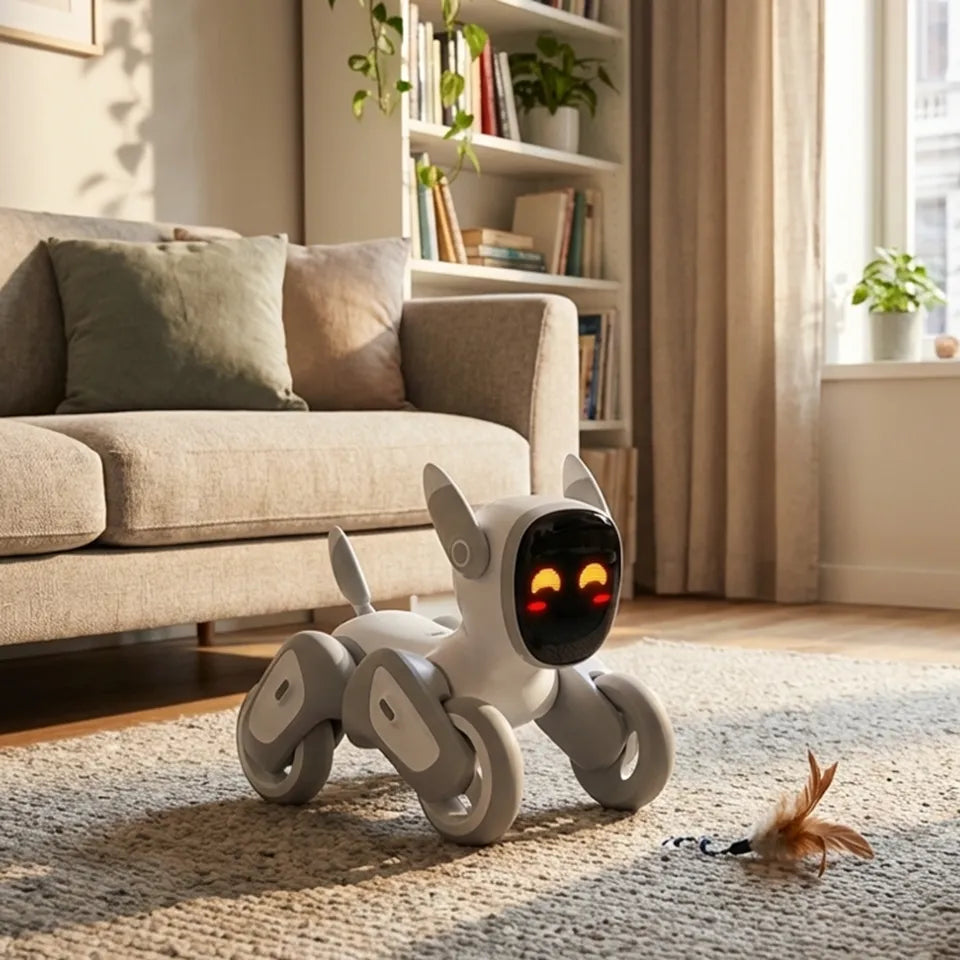
What Is the Best Pet Robot for Apartment Living? Features, Benefits, and Top Picks
March 17, 2026
Apartment living has its perks: less space to clean, easier commutes, and a simpler lifestyle overall. But for many people, it also comes with one tradeoff that feels surprisingly personal—companionship.
A lot of apartment dwellers would love the comfort and fun of having a pet, yet real-life pet ownership is not always realistic. Lease restrictions, limited square footage, allergies, barking concerns, shedding, vet bills, and daily care routines can quickly turn a good idea into a difficult one. That is exactly why more people are starting to look at a different option: the pet robot for apartment lifestyle.
A good pet robot can bring interaction, personality, and even emotional comfort into a small home without the mess, noise, or maintenance of a live animal. Some are designed to be calming and companion-like. Others are more playful, smart, and family-oriented. The best choice depends on what you want most from the experience. In this guide, we will break down what makes a pet robot apartment-friendly, which features matter most, and which types of robotic companions are worth considering.
What Is a Pet Robot for Apartment Living?
A pet robot for apartment living is a companion-style robot designed to bring interaction, entertainment, and a sense of presence into a small home. Unlike a real pet, it does not need food, grooming, litter cleanup, or outdoor walks. Unlike a robot vacuum or a security camera, its main purpose is not cleaning or surveillance. Its purpose is companionship. That difference matters.
When people search for the best pet robot for an apartment, they are usually not looking for a machine that simply performs a household task. They are looking for something that feels engaging, emotionally satisfying, and easy to live with in a smaller space. That can mean responsive movement, expressive behavior, voice interaction, games, facial recognition, or simply a personality that makes the home feel less empty.
This is where the category becomes especially interesting. Some robotic pets are intentionally simple and soothing. Others aim to feel more alive, more social, and more intelligent.
What Features Matter Most in the Best Pet Robot for Apartment Living?
Not every robotic pet is equally suited to apartment life. If you are comparing options, these are the features that matter most.
Compact size
The smaller the space, the more important footprint becomes. A good apartment-friendly robot should be easy to place, easy to move around, and not visually dominate the room.
Quiet operation
If you live with neighbors on the other side of thin walls, or if you work from home, noise matters. A robot that feels fun but not disruptive is usually a much better apartment fit than one that is constantly loud or hyperactive.
Smart interaction
This is where the experience shifts from novelty to real engagement. Voice response, touch response, facial recognition, AI conversation, and adaptive behavior can all make a robot feel more companion-like and less like a gadget.
Safe movement in small spaces
Apartments often mean tighter layouts, more furniture density, and less room for error. A pet robot should be able to move safely and reliably without becoming frustrating in a compact home.
Battery life and charging convenience
Battery life affects whether the robot feels enjoyable or inconvenient. Long enough active time plus easy charging makes daily use smoother.
Low maintenance
A pet robot should simplify life, not complicate it. Easy setup, easy charging, and minimal upkeep are all essential.
Why Loona Petbot Stands Out for Apartment Living
Not every pet robot makes sense in an apartment. Some are too simple to feel engaging, while others lean so heavily into novelty that they do not really add much to daily life. Loona Petbot feels different.
What makes Loona worth considering is not just that it is compact or smart on paper. It is that the product is clearly built to feel interactive in a real home setting. Loona is a petbot designed for companionship, play, and AI-powered interaction, with features such as facial recognition, app-based experiences, remote monitoring, and automatic docking. That combination makes it especially appealing for apartment households that want something more lively and responsive than a basic robotic toy.
It also fits small-space living better than many people might expect. Because Loona is relatively compact, it does not feel oversized or awkward in an apartment. For people living in smaller homes, that matters. A home robot should feel easy to live with, not like one more thing competing for space.
Another reason Loona works well here is its personality. Some robotic pets can feel repetitive after the first few days. Loona’s appeal is that it is designed to be more expressive and interactive, which helps it feel more like part of the home rather than just a gadget sitting in the corner. That makes a real difference for people who are not just shopping for entertainment, but for a sense of companionship.
Loona may not be the ideal choice for everyone. Someone looking for an ultra-quiet, very low-stimulation companion may prefer a simpler robot. But for families in apartments—or for anyone who wants a pet robot that feels playful, smart, and engaged—Loona is one of the more interesting options to include on this list.
Loona Robot vs Other Pet Robots for Apartment Living
Loona’s biggest advantage is that it offers more than one kind of value at the same time.
Many robotic pets can move, make sounds, or perform simple programmed actions. Loona goes further by combining a pet-like design with interactive AI elements, facial recognition, remote monitoring, app features, and sensor-based awareness. That makes it feel more like a true companion device than a novelty gadget.
Where Loona performs especially well:
families with children
users who want a lively and expressive robot
households that value smart features
apartment dwellers who want compact size with strong interactivity
Where another robot might be better:
users who want the quietest possible companion
buyers seeking the lowest price point
those who prefer very simple, low-stimulation interaction
seniors who want something highly minimal and calming
That comparison is important because it keeps the recommendation honest. Loona is a strong apartment-friendly pet robot, but its best fit is not universal. Its best fit is for people who want a more active, more intelligent, and more playful companion experience in a small living space.
Pet Robot vs Real Pet in an Apartment
A real pet offers emotional depth, physical affection, and a kind of bond that no machine can fully recreate. But it also demands time, money, patience, and a home environment that can support it. In an apartment, those demands can become more complicated.
A pet robot is not a replacement in the pure emotional sense. It is an alternative model of companionship.
Choose a pet robot if:
your building limits live pets
you want lower maintenance
you travel often
you are sensitive to fur or odors
you want companionship without full-time care responsibilities
Choose a real pet if:
you want traditional pet bonding
your home allows pets easily
you have time and budget for daily care
you want the full emotional and physical experience of animal companionship
For many apartment residents, the answer is not about which option is “better” in the abstract. It is about which option actually fits their life.
Who Should Buy a Pet Robot for Apartment Living?
Busy professionals may love the companionship without the lifestyle burden. Students may appreciate the fun and emotional lift in a small living space. Seniors may enjoy a calming sense of presence. Families may want something engaging and playful that fits apartment life better than a live pet.
Loona is especially well matched to the family segment. Its current product positioning strongly emphasizes home use, playful companionship, and interactive experiences for families and children, which makes it a natural recommendation for that audience.
It can also appeal to tech-forward apartment dwellers who enjoy smart devices and want their home companion to feel more advanced than a simple electronic toy.
Things to Consider Before You Buy a Pet Robot for Apartment
Before choosing any pet robot for apartment living, it is worth asking a few simple questions.
Do you want something playful or calming?
Do you care more about smart features or simplicity?
Do you need the robot to be especially compact?
Will children be using it regularly?
Are you looking for emotional comfort, entertainment, or both?
Those questions matter because “best” depends on the person. A robot that feels exciting to one household may feel too active to another. A robot that feels delightfully simple to one buyer may feel limited to someone else.
Loona Petbot is best for buyers who want a compact, apartment-friendly pet robot with a lively personality and stronger interactive intelligence. The tradeoff is that it may be more energetic and family-oriented than buyers seeking a very quiet or purely soothing companion would prefer.
Conclusion
Choosing the best pet robot for apartment living depends on your space, lifestyle, and what you want from a companion. Some apartment dwellers want something quiet and low-maintenance, while others want a more playful and interactive robot that brings energy into the home.
For families and users who want a smart, expressive companion, Loona Robot is one of the strongest options to consider. Its compact design, interactive personality, and apartment-friendly format make it a natural fit for smaller homes. While it may not replace a real pet, it can offer many of the same emotional and entertainment benefits without the mess, noise, or daily care responsibilities.
If you have been searching for the best pet robot for apartment living, Loona deserves serious consideration—especially if you want a companion that feels engaging, intelligent, and fun to live with.
FAQs
What is the best pet robot for apartment living?
The best pet robot for apartment living depends on your needs. For families who want a playful and intelligent companion in a small home, Loona Robot is one of the strongest options because it combines compact size with AI interaction, facial recognition, app-connected features, and automatic docking.
Are pet robots better than real pets in apartments?
Not universally. Real pets offer deeper emotional bonding, but pet robots are often easier to manage in apartments because they do not require feeding, litter care, outdoor walks, grooming, or landlord approval.
Are pet robots good for kids in apartments?
They can be. For apartment families, pet robots can bring play, interaction, and companionship without many of the practical issues that come with live animals. Loona is especially relevant here because it is a AI pet companion robot that focuses on family interaction and is child-friendly.
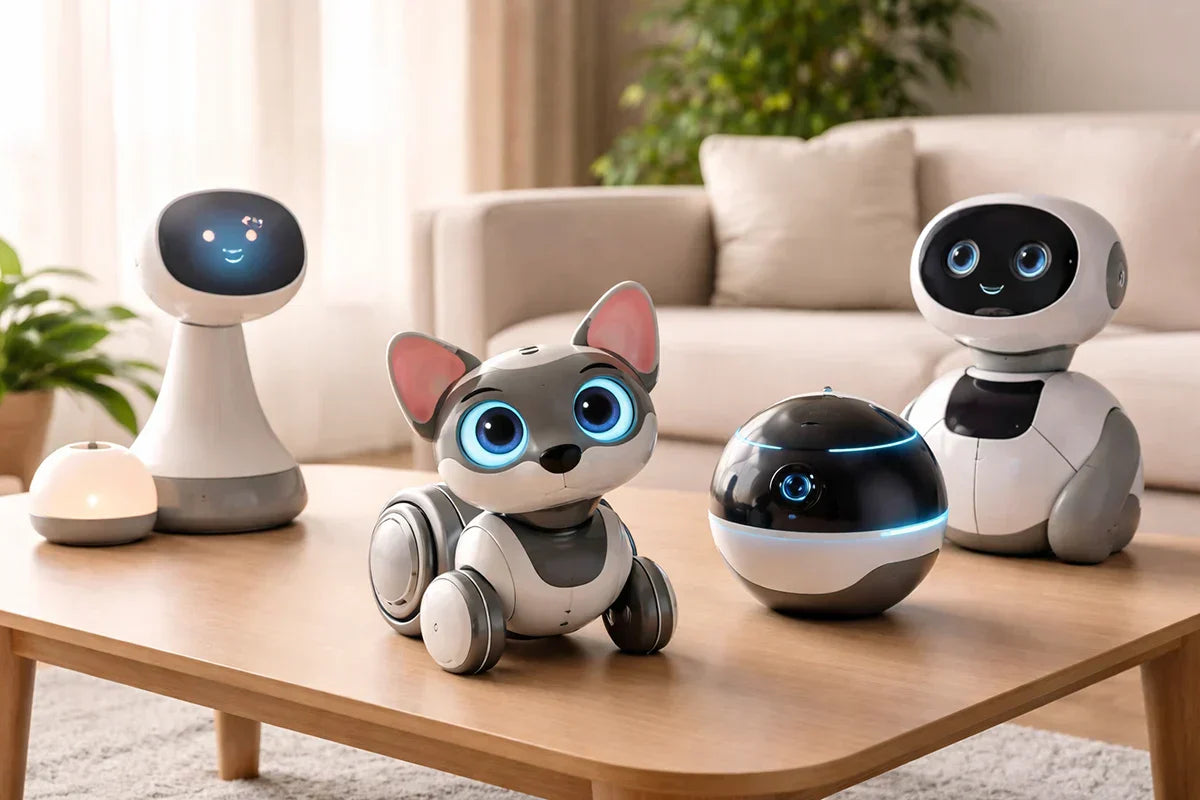
The Ultimate Guide to AI Companion Robots in 2026: Best Picks, Features, and Buying Tips
March 11, 2026
AI companion robots are starting to feel less like science fiction and more like a real consumer category. In 2026, they are showing up in homes for very different reasons. Some are designed to support older adults with reminders and conversation. Some are playful AI pets built for families. Others combine companionship with mobility, monitoring, or smart-home features.
That range is exactly what makes the category interesting. It also makes it confusing. Not every companion robot is trying to do the same job, so the best choice depends much less on which product looks the most advanced and much more on what kind of interaction you actually want.
What Is an AI Companion Robot?
An AI companion robot is a device designed to interact with people in a more personal and ongoing way than a typical smart speaker or app. Depending on the product, that can include conversation, reminders, emotional companionship, games, home awareness, or light wellness support.
Some companion robots are built around practical daily use. Others are designed more like AI pets, with personality, reactions, and a stronger sense of play. That distinction matters, because a robot meant to support an older adult living alone should not be judged by the same standards as one built for family interaction or entertainment.
Best AI Companion Robots in 2026
The best AI companion robots in 2026 vary a lot in purpose and personality. Some focus on support, some on play, and some on home awareness. That difference matters, because the right choice depends more on whether it is appropriate.
ElliQ
If the goal is senior companionship, ElliQ is one of the clearest products in the category. It is designed for older adults living alone and focuses on conversation, encouragement, and daily engagement. Its appeal comes from being purpose-built. Rather than trying to be a general home robot, it is centered on companionship and routine support.
That makes ElliQ a strong fit for households looking for a supportive, low-friction device that feels more personal than a voice assistant. It makes less sense for buyers who want a mobile robot or a family-focused interactive companion.
Loona Robot
Loona Petbot is one of the most natural choices for families, kids, and buyers who want a playful AI companion with real personality. It is positioned as an AI robot pet, which immediately puts it in a different category from products like ElliQ. Loona is less about care support and more about interaction, expression, and fun.
That is exactly why it works. Instead of trying to do everything, Loona leans into the idea of an AI pet companion. For users who want a lively home robot that feels expressive and engaging, that is a strong selling point.
Ebo X
Ebo X is a better fit for buyers who want mobility and home awareness as much as companionship. It sits somewhere between a companion robot and a moving home-monitoring device. That makes it appealing for users who want remote check-ins, a connected camera, and a more active physical presence in the home.
Compared with ElliQ or Loona, Ebo X feels less focused on emotional interaction alone. Its strength is the combination of movement, monitoring, and connectivity.
Zeroth M1
Zeroth M1 is one of the more interesting newer entries in the space because it aims for a middle ground between novelty and practical home use. It is the kind of product that appeals to buyers who want something more embodied than a speaker but less extreme than a highly ambitious household robot.
That also means it comes with the usual caution attached to newer AI hardware. Strong ideas do not always translate into strong long-term use, so products in this part of the market are often more interesting to watch than to recommend too aggressively.
LG CLOiD
LG CLOiD represents the more ambitious side of the category. It points toward a future where home robots are more mobile, more integrated with the smart home, and more physically present in everyday life.
For now, though, it makes more sense as a sign of where the market is heading than as the most practical option for most households. In a category like this, narrower products often end up being more useful than broader visions of the all-purpose home robot.
What Features Matter Most?
The most important feature is not cuteness, movement, or futuristic design. It is usefulness.
Conversation quality matters because a companion robot should feel responsive and pleasant to interact with. If talking to it feels awkward or limited, the novelty will wear off quickly. Daily usefulness matters just as much. That may mean reminders, encouragement, games, home awareness, or simply a form of interaction that makes the device feel worth keeping around.
Fit is another major factor. A senior-focused robot should be judged by how well it supports routines and reduces friction. A family robot should be judged more by personality, engagement, and ease of use. A mobile home companion should be judged more by awareness, navigation, and convenience.
Privacy also matters more than many buyers expect. These devices may include microphones, cameras, app connections, and cloud-based AI features, so trust and transparency are part of the product experience, not a side issue.
How to Choose the Right AI Companion Robot
The right choice depends on what you want the robot to do. For older adults, conversation, reminders, and routine support usually matter most. For families, playfulness and ease of use may matter more. For smart-home users, mobility and home awareness can be bigger priorities.
It also helps to think about what kind of presence you want in the home. Some robots are designed to feel supportive. Others are designed to feel entertaining or emotionally engaging. Neither is automatically better, but they serve very different expectations.
A simple rule helps here: if you cannot clearly explain what role the robot will play in daily life, it may end up feeling more like a novelty than a useful purchase.
Are AI Companion Robots Worth It?
They can be, but only when the fit is right.
The strongest products in this category usually have a clear purpose. ElliQ works because it is built around senior companionship. Loona works because it embraces the AI pet idea instead of pretending to be a care device. Ebo X works best when the buyer wants movement and home awareness as much as companionship.
The weaker products are often the ones trying to be everything at once. In practice, a robot becomes more valuable when its role is easy to understand. That might be family interaction, elder support, playful companionship, or connected home presence.
So yes, AI companion robots can be worth buying in 2026. They just make the most sense when they are solving a real need rather than being purchased only for novelty.
Conclusion
AI companion robots are not one single category anymore. In 2026, they include support companions for older adults, AI pet-style robots for families, mobile home companions, and more ambitious smart-home concepts.
That is why the best recommendation depends on the use case. If the priority is elder companionship and daily support, a product like ElliQ makes sense. If the goal is a playful, expressive AI pet companion, Loona is a natural fit. If mobility and home awareness matter more, a robot like Ebo X may be more appealing.
The best AI companion robot is not the one with the most futuristic marketing. It is the one that fits the person, the home, and the kind of interaction you actually want.
FAQ
Is Loona Robot the same kind of product as ElliQ?
No. ElliQ is mainly built for older adults and routine support, while Loona is better understood as a playful AI pet companion with family-friendly interaction.
Which AI companion robot is best for families?
Loona is one of the more natural fits for families who want an expressive, interactive robot companion with personality.
Are AI companion robots mainly for fun, or are they actually useful?
Both exist in the category. Some are designed more for interaction and play, while others are designed around practical support and routine use.

The Future of Desktop AI: What Makes Loona DeskMate So Smart?
March 10, 2026
Most AI still lives behind a prompt box.
You open a tab, type a request, wait for an answer, and move on. It works, but it does not feel natural. Real life is not made of isolated prompts. Work happens in motion: checking messages, switching tasks, thinking through ideas, joining calls, getting distracted, refocusing, and trying to keep everything moving at once.
That is why the future of desktop AI will not be defined by bigger models alone. It will be defined by presence.
The next generation of AI will not just respond when called. It will stay with you, understand context, communicate more naturally, and become part of the rhythm of your day. That is where Loona DeskMate stands out. Rather than acting like another software tool fighting for attention on your screen, it points toward a new kind of AI experience: one that is visible, expressive, work-aware, and designed to feel more like a companion than a window.
In other words, if you want to understand where desktop AI is going, Loona DeskMate is a very good place to start.
Desktop AI Is Moving Beyond Software
For years, digital assistants have mostly behaved the same way. They wait. You speak first. You type first. You trigger the interaction. Even the smartest chatbot still feels like software sitting on standby.
Desktop AI is beginning to change that model.
Instead of being tucked away inside a browser or app, a desktop AI companion can remain present in your environment. It can occupy space on your desk, use voice and visual signals, and interact in a way that feels more immediate. That sounds like a subtle difference, but it is not. Presence changes behavior. It changes how often people use AI, how quickly they engage with it, and how naturally it fits into everyday work.
This shift matters because modern work is full of friction. There are too many tabs, too many pings, too many micro-decisions. People do not just want faster answers. They want AI that helps reduce mental load without creating even more clutter.
That is the real promise of desktop AI: not simply intelligence on demand, but intelligence that feels close at hand.
What Is Loona DeskMate?
Loona DeskMate is best understood as a desktop AI companion built for work and everyday interaction.
It is not just a chatbot with a cute exterior. It is not just a desk accessory. And it is not trying to replace everything else on your device. Its appeal comes from how it blends several ideas into one experience: AI assistance, embodied interaction, emotional responsiveness, and desk-level presence.
That combination matters. A lot of AI tools can answer questions. Much fewer can create a sense of ongoing interaction. Loona DeskMate is interesting because it is designed around the idea that intelligence feels more useful when it is not abstract. When it has a form. When it can react. When it can remain in view and become part of the working environment.
The form factor also makes the product category easier to understand. This is not “AI somewhere in the cloud.” It is AI that lives on your desk, where your attention already is.
Loona DeskMate is expected to launch in May.
Lock in VIP pricing!
Enjoy pre-sale discounts!
What Makes Loona DeskMate So Smart?
When people ask whether an AI product is “smart,” they often mean one of two things. Either it gives strong answers, or it feels intuitive to use. The best products do both.
Loona DeskMate aims at that second kind of intelligence just as much as the first.
1. It is built around context, not just commands
Traditional assistants are reactive. They wait for explicit instructions. That works for simple requests, but it creates a stop-start experience.
A smarter desktop AI companion should feel more aware of the moment. What are you working on? Are you focused? Are you available? Is now a good time to help, or a bad time to interrupt?
Context is what separates a tool from a companion. Loona DeskMate feels smart because the idea behind it is not “ask me anything.” It is closer to “I am here with you, and I can respond in ways that make sense for this moment.”
That is a much more human model of intelligence.
2. It brings emotional awareness into the interaction
One of the biggest weaknesses in many AI systems is tone. They may be useful, but they often feel flat. Human communication is not flat. We read mood, energy, attention, and hesitation all the time.
A desktop AI companion becomes more valuable when it can react with better emotional timing. Not in an exaggerated or theatrical way, but in a way that makes the experience feel less mechanical. A calmer response when you are overwhelmed. A more playful one when you are relaxed. More restraint when you are clearly busy.
This kind of emotional responsiveness is easy to dismiss in theory, but in practice it shapes whether people actually enjoy using a product day after day. Smart AI should not only be capable. It should also be comfortable to be around.
3. It uses multimodal interaction, which feels more natural
People use voice, facial cues, timing, gaze, gesture, and screen attention to communicate all the time. A desktop AI robot or desk companion can tap into more of those signals than a text box can. That makes the interaction feel lighter and more intuitive.
You do not always want to stop what you are doing and write a carefully phrased prompt. Sometimes you want to glance, speak briefly, or receive a response that is visual rather than verbal. Multimodal interaction lowers the barrier to use. It lets AI fit human behavior instead of forcing human behavior to fit the machine.
That is one of the strongest arguments for why desktop AI may become a more important category in the years ahead.
4. Its physical presence changes the experience
Software is invisible until opened. A physical AI companion is already there. That changes the relationship from transactional to ambient. It becomes easier to check in, easier to remember, and easier to treat as part of your workflow.
There is also a psychological advantage to physical presence. Movement and expressiveness create a stronger sense of responsiveness. Even small gestures can make the interaction feel more immediate. The product no longer feels like a distant engine producing outputs. It feels engaged.
This is why embodiment is not a gimmick when done well. It is an interface decision. It makes AI more legible, more approachable, and more memorable.
5. It is not just cute. It is meant to be useful
A lot of products in this space get attention because they are charming. That helps at first, but novelty fades quickly. Long-term value comes from usefulness.
For desktop AI to matter, it has to help with real work: summarizing information, supporting planning, assisting with messages, helping organize tasks, and smoothing out the dozens of small interactions that consume time throughout the day.
That is where Loona DeskMate becomes more compelling. The smarter story is not that it has personality. It is that it tries to combine personality with practical assistance. That is a harder balance to strike, and it is exactly the balance that will define winners in this category.
6. It makes good use of the devices people already rely on
One of the smartest product decisions in any new hardware category is knowing what not to reinvent.
People already carry powerful smartphones with advanced screens, cameras, microphones, and processing capability. Building around that reality can create a more efficient product experience than starting from scratch with a bulky standalone device.
From a user perspective, that approach feels practical. It can reduce hardware redundancy, keep the device footprint smaller, and allow the overall experience to evolve alongside the phone technology people already upgrade over time.
Smart products are not only defined by their AI models. They are also defined by design choices that make adoption easier.
7. It aims for personality without becoming a distraction
If the AI is too passive, it becomes forgettable. If it is too active, it becomes annoying. If it leans too far into entertainment, it loses credibility as a work companion. If it becomes too dry, it loses emotional appeal.
The sweet spot is subtle personality. Enough warmth to feel engaging. Enough restraint to remain useful.
That is one reason Loona DeskMate stands out conceptually. The product sits at the intersection of productivity and companionship, and that means its intelligence has to include social intelligence too. Knowing when to speak, when to pause, when to encourage, and when to stay out of the way may end up being just as important as answering a question correctly.
Why Embodied AI Often Feels Smarter Than a Chat Window
People tend to describe embodied AI as “more alive,” but what they usually mean is “easier to relate to.”
A chat window can be brilliant and still feel emotionally distant. A physically present AI companion can create a stronger sense of immediacy even when performing similar tasks. That is because embodiment adds layers of meaning beyond words. Position, motion, gaze, and responsiveness all contribute to how intelligence is perceived.
In practical terms, embodied AI can feel smarter because it reduces interface friction. You do not need to remember where the app is. You do not need to launch a session every time. The interaction becomes part of your environment instead of another destination inside it.
That is an important shift. Great technology often disappears into routine. The most successful desktop AI companions may not be the ones with the flashiest demos. They may be the ones that feel so natural people stop thinking of them as software at all.
Who Loona DeskMate Is For
Not every AI product is for everyone, and that is a good thing. The most compelling desktop AI devices tend to resonate with users who already feel the limits of purely screen-based tools.
Loona DeskMate is likely to make the most sense for remote workers and hybrid professionals who spend long stretches of time at a desk and want support that feels more immediate than software alone.
It also appeals to creators, founders, and tech-forward users who enjoy experimenting with new interfaces and care about both utility and design.
And there is a wider audience too: people who want their workspace to feel more alive. Not chaotic. Not cluttered. Just more responsive, more interactive, and a little less lonely.
That may sound emotional for a product category discussion, but it matters. The future of desktop AI will not be built on efficiency alone. It will also be built on whether people genuinely like having it around.
Conclusion
The future of desktop AI will not be won by raw intelligence alone. It will be shaped by how naturally AI fits into human space, human attention, and human routine. That means context awareness. It means multimodal interaction. It means physical presence. It means emotional intelligence. And it means usefulness that lasts beyond the first impression.
That is what makes Loona DeskMate interesting. It suggests that the smartest AI companion may not be the one hidden inside another tab. It may be the one sitting on the desk, quietly understanding more, helping more naturally, and turning AI from a tool you open into a presence you work alongside.
FAQ
What is a desktop AI companion?
A desktop AI companion is an AI-powered device or assistant designed to stay present in your workspace and interact more naturally than traditional software. Unlike a standard chatbot, it can combine voice, visual presence, context awareness, and ongoing accessibility.
How is Loona DeskMate different from a regular AI assistant?
Loona DeskMate differs from a regular AI assistant because it combines AI assistance with embodied interaction, desk-level presence, and a more expressive, companion-like experience. It is designed to feel more present and intuitive than a text-only or app-only assistant.
Why does embodied AI matter?
Embodied AI matters because physical presence changes how people interact with technology. It can make AI feel more immediate, more understandable, and easier to engage with throughout the day, especially in a work environment.
Can desktop AI improve productivity?
Yes, desktop AI can improve productivity when it helps reduce friction in daily work. That may include task organization, communication support, summaries, reminders, planning assistance, and faster access to useful information.
Is desktop AI only for work?
No. While productivity is a major use case, desktop AI can also support companionship, daily routine, motivation, and a more interactive workspace experience. The best products in this category often blend practical value with emotional appeal.

Robotics and AI Institute Overview: Research Goals, Core Technologies, and Future Trends
March 12, 2026
The race to build smarter machines is no longer just about making robots move better. It is about giving them the ability to understand the world, adapt to change, make useful decisions, and work safely alongside people. That is where the Robotics and AI Institute has drawn attention.
For anyone searching for a clear robotics and ai institute overview, the real story goes beyond branding. The institute represents a broader shift in robotics research: away from narrow, task-specific systems and toward more capable, general-purpose machines. Its work sits at the intersection of artificial intelligence, robot control, hardware design, and responsible deployment.
In this article, we will look at what the Robotics and AI Institute is, what research goals define its work, which core technologies matter most, and why its direction may shape the future of intelligent machines.
What Is the Robotics and AI Institute?
The Robotics and AI Institute is best understood as a research-driven organization focused on advancing the foundations of intelligent robotics. Rather than concentrating only on one commercial robot or one short-term use case, it aims to tackle the harder, deeper questions: how machines learn, how they move, how they reason, and how they interact with the physical world in meaningful ways.
That distinction matters.
A lot of robotics companies are built around one product, one workflow, or one industry. A research institute works differently. Its role is usually broader. It can afford to spend more time on first principles, long-horizon problems, and technologies that may not turn into products immediately, but could shape the entire field over time.
In that sense, the Robotics and AI Institute stands out because it appears to treat robotics not as a single engineering challenge, but as a layered system. Intelligence is not just software. Mobility is not just mechanics. Safety is not just policy. Progress happens when all of those pieces evolve together.
Research Goals of the Robotics and AI Institute
At the center of the Robotics and AI Institute is a simple but ambitious idea: future robots must be far more capable than the ones we have today.
That sounds obvious, but in practice it points to several major research goals.
1. Building More General Intelligent Machines
Many robots still perform well only in tightly controlled conditions. They can repeat a trained action, follow a fixed path, or complete a predictable task. But once conditions change, performance often drops.
A major goal of the Robotics and AI Institute is likely to push beyond that limitation. The long-term challenge is not just teaching a robot one skill. It is building systems that can transfer knowledge, adapt to unfamiliar environments, and operate with greater flexibility.
That is the difference between a robot that can complete a demo and a robot that can handle real life.
2. Connecting Perception, Reasoning, and Action
In robotics, these three capabilities are often discussed separately. One team works on vision. Another works on planning. Another works on control. But in the real world, robots do not get to split problems so neatly.
A machine may need to see an object, understand what it is, predict how it might move, decide what to do next, and then physically execute that decision — all in one smooth loop.
That kind of integration remains one of the hardest problems in robotics. A strong robotics and ai institute overview should make this clear: the challenge is not simply making robots “smart” in the abstract. It is making intelligence usable in physical action.
3. Improving Human Life Through Better Robotics
The most important robotics research is not impressive only because it looks futuristic. It matters because it can change how people live and work.
Better intelligent machines could improve productivity, reduce human exposure to dangerous environments, support people with mobility or accessibility needs, and take on tasks that are physically demanding, repetitive, or unsafe. The best research organizations keep that larger purpose in view.
4. Advancing the Foundations, Not Just the Applications
One reason the Robotics and AI Institute is worth paying attention to is that foundational research tends to outlast hype cycles. Applications come and go. Product categories rise and fall. But if an institute contributes to how robots learn, balance, manipulate, or reason, those advances can ripple far beyond any single machine. That is often where the deepest value lies.
The Four Core Research Areas Behind the Robotics and AI Institute
One useful way to understand the institute’s work is through four broad pillars: cognitive intelligence, athletic intelligence, organic design, and ethics. Together, they sketch a fuller picture of what next-generation robotics might require.
Cognitive Intelligence
Robots need more than sensors and controllers. They need a workable understanding of the world around them. For readers who want a broader introduction before diving deeper into research directions, what is AI in robotics provides helpful context.
Cognitive intelligence in robotics usually refers to capabilities such as perception, memory, reasoning, planning, and generalization. It includes questions like these:
How does a robot identify relevant objects in a cluttered environment?
How does it choose between multiple possible actions?
How does it generalize from past experience instead of starting from zero each time?
How does it represent tasks, goals, and constraints in a way that supports real behavior?
This area matters because physical skill alone is not enough. A robot that can move beautifully but cannot interpret context will still struggle outside the lab.
Athletic Intelligence
This may be one of the most distinctive concepts associated with advanced robotics. Athletic intelligence is about dynamic movement — not just locomotion, but coordinated, reactive, physically competent behavior.
That includes balance, agility, full-body coordination, contact-rich interaction, recovery from disturbances, and the ability to move with purpose in unpredictable environments.
Humans and animals make these things look effortless. Robots do not.
A machine that can walk is one thing. A machine that can walk over uneven terrain, react to a slip, reach for support, and continue its task is something else entirely. Athletic intelligence sits in that gap. It is a reminder that mobility is not binary. It is a spectrum of capability.
Organic Design
The phrase may sound abstract, but the underlying idea is practical. Robot intelligence does not live only in software. The body matters too.
Organic design points toward the physical side of robotics: morphology, actuation, sensing, material choices, energy efficiency, and hardware architecture. It reflects the idea that better robots often come from better alignment between body and brain.
A poorly designed machine can make even a strong algorithm look weak. A well-designed system can unlock behaviors that would otherwise be difficult or impossible.
This is why hardware-software co-design has become so important. The robot’s physical structure influences what it can sense, how it can move, how safely it can interact, and what kind of intelligence is realistic to deploy on it.
Ethics
Ethics is often added to robotics discussions at the end, almost as a formality. It should not be.
As robots become more capable, the ethical questions become more real. How should these systems be used? In which environments? Under what oversight? What safety standards should guide deployment? How should trust be earned? What happens when a system fails in a public or high-stakes setting?
If an institute treats ethics as a core area instead of a footnote, that is significant. It suggests that capability and responsibility are being developed together, not one after the other.
And that is likely to become more important, not less.
Core Technologies Powering the Robotics and AI Institute
Any serious robotics and ai institute analysis should also look at the enabling technologies behind the research vision. Institutions can describe bold goals, but progress usually depends on a handful of technical building blocks.
Reinforcement Learning
Reinforcement learning has become one of the most talked-about methods in modern robotics, especially for dynamic behavior.
In simple terms, reinforcement learning allows a robot to improve through trial and error by optimizing for rewards. Instead of being manually programmed for every step, the system learns policies that help it achieve desired outcomes.
That approach is especially useful in robotics tasks where the space of possible movements is too complex to hand-engineer cleanly. Walking, balancing, recovery, and agile whole-body behavior are good examples.
The appeal is obvious: reinforcement learning can produce behaviors that look more fluid and robust than traditional scripted control. The hard part is making those behaviors reliable enough for real machines.
Sim-to-Real Transfer
This is one of the central engineering bottlenecks in robotics today.
Training directly on physical robots is expensive, slow, and often risky. So researchers train policies in simulation first. But simulation is never a perfect copy of reality. Friction differs. Contacts behave differently. Small physical details suddenly matter.
That is why sim-to-real transfer remains such a crucial technology area. It is not enough for a robot to succeed in a virtual environment. It has to carry that performance into the messy world where sensors are noisy, surfaces vary, and nothing behaves exactly as expected.
If the Robotics and AI Institute is serious about scalable robot learning, this bridge between simulation and reality is almost certainly one of its most important technical frontiers.
Whole-Body Loco-Manipulation
One of the biggest shifts in robotics is the move away from separating movement and manipulation.
Traditional systems often treat locomotion as one problem and object interaction as another. But in practical environments, the two are deeply connected. A robot may need to step, lean, brace, reach, rotate, stabilize itself, and manipulate something all at once.
That is what whole-body loco-manipulation is about.
It matters for tasks like opening heavy doors, carrying awkward items, climbing around obstacles, using both arms while maintaining balance, or operating in confined, irregular spaces. These are not edge cases. They are exactly the kinds of tasks that appear in homes, warehouses, construction sites, and public environments.
Humanoid and Legged Robotics
Humanoids get attention for obvious reasons: they are visually familiar, media-friendly, and associated with the idea of general-purpose machines. But the deeper point is functional.
Human environments are already designed around the human body. Stairs, handles, shelves, tools, narrow passages, and work surfaces all assume a certain form factor and movement pattern. That makes humanoid research strategically important, even if the final winning robot designs do not all look fully human.
Legged robotics more broadly matters for the same reason. Wheels work well on flat, structured surfaces. The world is not always flat or structured.
A serious research institute operating in this space is likely to care not only about locomotion demos, but about whether those machines can become useful, resilient, and adaptable in the real world.
Hardware-Software Co-Design
This may be the least flashy phrase in the article, but it is one of the most important.
In robotics, software capability is constrained by hardware reality. The control stack can only do so much if the sensors are poorly placed, the actuators are weak, the energy system is inefficient, or the body is unstable.
At the same time, hardware choices should be informed by what the software needs to perceive, predict, and control.
The strongest robotics systems tend to emerge when the mechanical design, sensing architecture, control strategy, and learning methods are developed with each other in mind. That integrated thinking is where research organizations can have an edge.
How the Robotics and AI Institute Differs From Universities and Robotics Companies
To understand the institute’s place in the ecosystem, it helps to compare it with two familiar models: university labs and commercial robotics firms.
Compared With University Labs
University research plays an essential role in robotics. It often produces novel ideas, strong theory, and early-stage breakthroughs. But academic labs also face constraints. Timelines are tied to grants, student turnover is constant, and building large, durable engineering infrastructure can be difficult.
An institute model can sometimes go further in a few ways. It may support longer-term projects, larger integrated teams, and more sustained hardware-software development. That can be especially important in robotics, where progress often requires iteration over years rather than months.
Compared With Product-Driven Companies
Commercial robotics companies face a different pressure: they need to ship, prove value, and survive market reality.
That pressure is healthy in some ways. It keeps teams focused. But it can also narrow the research horizon. When product deadlines dominate, foundational work may take a back seat to incremental improvements.
The robotics and ai institute model is interesting because it appears to sit somewhere between academia and commercialization. It can pursue ambitious foundational work while staying close to real-world robotics problems.
That hybrid position may turn out to be one of its greatest strengths.
Partnerships and Ecosystem Influence
No robotics institute operates in isolation. Progress in this field is cumulative and networked. Talent, ideas, datasets, hardware platforms, simulation tools, and deployment insights all move through ecosystems rather than staying in one place.
That makes partnerships especially important.
A research institute can influence the industry not only through papers or prototypes, but also through the platforms it helps improve, the people it trains, and the technical standards it normalizes. If its work touches humanoid systems, reinforcement learning pipelines, motion intelligence, and safe deployment frameworks, its impact can spread much wider than a single organization chart would suggest.
This is also why geography matters. Research clusters tend to attract more researchers, more experimentation, and more crossover between institutions. Strong robotics hubs do not form by accident. They grow where talent density, technical ambition, and long-term investment meet.
Future Trends: Where the Robotics and AI Institute May Shape the Industry Next
It is always risky to make hard predictions in robotics. The field has a habit of moving slower than headlines suggest and faster than skeptics expect. Still, a few trends are becoming difficult to ignore.
1. The Move From Narrow Skills to Generalizable Capability
For years, many robot systems have been optimized around specific benchmarks or tightly defined tasks. That approach will continue in some sectors, but the broader direction is clear: more adaptable, transferable capability is becoming the real prize.
The future is unlikely to belong to machines that can do only one impressive thing. It will favor systems that can combine perception, memory, control, and learning across different tasks and environments.
2. Learning-Based Robotics Will Become More Central
Classical control is not going away. Nor should it. But learning-based methods are taking on a larger role, especially in areas where behavior is too complex to hand-code.
The most interesting future systems will probably not be “pure AI” or “pure control.” They will be layered hybrids. Model-based methods, data-driven learning, simulation, planning, and feedback control will increasingly be woven together.
That is not just a trend. It is a necessity.
3. Humanoid Robotics Will Be Judged by Usefulness, Not Spectacle
The public tends to judge humanoid robots by how dramatic the demo looks. The market will judge them differently.
Can the machine operate reliably? Can it recover from errors? Can it manipulate real objects? Can it work safely around people? Can it function outside perfect lab conditions?
The organizations that make progress on these questions will matter more than the ones producing the most viral clips.
4. Embodiment Will Return to the Center of AI Discussion
For a while, much of the AI conversation drifted toward language, software agents, and screen-based intelligence. Robotics brings embodiment back into focus.
Physical intelligence is harder. It forces AI systems to deal with time, energy, friction, uncertainty, contact, risk, and consequence. A robot cannot bluff its way through the physical world. It either works or it does not.
That is one reason institutes focused on embodied intelligence may become increasingly important over the next few years.
5. Ethics Will Shift From Theory to Implementation
As robotic systems become more capable, ethical concerns will stop being abstract talking points and become deployment questions.
Who is accountable for failures? What level of autonomy is acceptable in different environments? What kind of transparency should users expect? Which safeguards are technical, and which are institutional?
The future winners in robotics may not be the organizations that move fastest at any cost. They may be the ones that build trust without slowing innovation to a crawl.
Why the Robotics and AI Institute Matters
The Robotics and AI Institute matters because it represents a serious answer to a hard problem: how do we build machines that are not only more intelligent, but more physically competent, adaptable, and responsible?
That question cannot be solved through software alone. It cannot be solved through mechanics alone either. It requires a deeper integration of learning, control, design, and real-world thinking.
What makes this kind of institute especially interesting is that it treats robotics as a systems challenge. Not a demo challenge. Not a branding exercise. Not a one-product race. A systems challenge. And that is probably the right lens.
The next era of robotics will not be defined only by whether machines can talk, walk, or lift objects. It will be defined by whether they can do those things reliably, usefully, and intelligently in the environments people actually live and work in. That is the standard that matters.
Conclusion
Robotics has entered a phase where isolated progress is no longer enough. Better movement alone is not enough. Better AI models alone are not enough. Better hardware alone is not enough. The future belongs to teams and institutions that can bring these pieces together. That is why the Robotics and AI Institute is worth watching.
Its real significance lies not just in what it is today, but in what it suggests about where robotics is heading next: toward machines that can think more clearly, move more skillfully, adapt more naturally, and operate more responsibly in the human world.
FAQs
What is the Robotics and AI Institute?
The Robotics and AI Institute is a research-focused organization working on foundational challenges in robotics and artificial intelligence, including robot intelligence, movement, design, and responsible deployment.
Why is the Robotics and AI Institute important?
It is important because it appears focused on long-term robotics capability rather than only short-term product development. That makes it relevant to the future of intelligent machines across many industries.
What does the Robotics and AI Institute research?
Its work can be understood through major themes such as cognitive intelligence, athletic intelligence, organic design, ethics, robot learning, control, and integrated hardware-software development.
What are the core technologies behind the Robotics and AI Institute?
Important technical areas include reinforcement learning, sim-to-real transfer, whole-body loco-manipulation, legged and humanoid robotics, and hardware-software co-design.
How is the Robotics and AI Institute different from a robotics company?
A robotics company is often focused on shipping products and serving immediate market needs. A research institute typically invests more heavily in foundational work that may influence the field over the longer term.
Why are institutes like this relevant to the future of robotics?
Because many of the hardest robotics problems are still unsolved. Research institutes help push beyond narrow applications and toward more general, reliable, and capable intelligent systems.

What Is AI in Robotics? A Complete Guide to Intelligent Robots and Automation
March 11, 2026
Robots used to be easy to define. They followed fixed instructions, repeated the same motion, and worked best in controlled environments. If the task changed, the robot usually had to be reprogrammed.
That is no longer the full picture.
Today, many robots can identify objects, adjust to new surroundings, optimize their own actions, and even work safely alongside people. The reason is simple: artificial intelligence is changing what robots can do.
So, what is AI in robotics exactly?
In simple terms, AI in robotics is the use of artificial intelligence technologies to make robots smarter, more flexible, and more capable of acting in the real world. Instead of only following rigid rules, AI-powered robots can perceive their environment, make decisions, learn from data, and improve over time.
This shift matters across industries. In manufacturing, AI robots help detect defects and adapt to changing production needs. In logistics, they move goods through warehouses with less human intervention. In healthcare, they support surgery, rehabilitation, and hospital operations. Across the board, AI is pushing robotics beyond repetition and into intelligence.
In this guide, we will break down what AI in robotics means, how it works, the technologies behind it, real-world use cases, major benefits, limitations, and where the field is heading next.
What Is AI in Robotics?
At its core, AI in robotics combines two fields:
Robotics, which focuses on machines that can sense, move, and interact with the physical world
Artificial intelligence, which enables those machines to interpret information, make decisions, and learn from experience
A robot without AI can still be useful. It may follow a programmed path, repeat a factory task, or perform a simple pick-and-place operation. But its behavior is usually limited to pre-defined instructions.
A robot with AI goes further. It can recognize a package that is slightly out of position, avoid a person walking into its path, choose a better route through a warehouse, or improve its grasping performance after repeated attempts.
That is the real difference: AI gives robots adaptability.
AI in Robotics Definition
A straightforward definition looks like this:
AI in robotics is the application of artificial intelligence methods—such as machine learning, computer vision, and decision-making algorithms—to robotic systems so they can operate with greater autonomy, flexibility, and intelligence.
This definition matters because it highlights something people often miss. AI does not replace robotics. It enhances it.
Robotics provides the body. AI provides more of the brain.
AI in Robotics vs Traditional Robotics
Traditional robots are usually built for structured tasks. They work well when the environment is predictable and the workflow rarely changes. Think of a robotic arm on an assembly line that performs the same weld thousands of times per day.
AI-powered robots are designed for more variability. They are better suited to situations where the robot must interpret data, handle uncertainty, or respond to change.
Here is the difference in practical terms:
Traditional Robotics
AI Robotics
Rule-based behavior
Data-driven behavior
Works best in fixed environments
Handles dynamic environments better
Repeats pre-programmed actions
Can adapt actions based on input
Limited autonomy
Higher autonomy
Less flexible when conditions change
More flexible when conditions change
That does not mean AI robots replace traditional robots in every case. In fact, many industrial systems still rely on conventional automation because it is efficient, stable, and cost-effective. But when tasks become less predictable, AI becomes much more valuable.
AI in Robotics vs Automation
People often use these terms interchangeably, but they are not the same.
Automation refers to systems that perform tasks with limited or reduced human involvement. Many automation systems do not use AI at all. They simply follow fixed rules.
AI robotics is a more advanced form of automation. It applies intelligence to machines operating in the physical world.
For example:
A conveyor belt that moves packages on a schedule is automation
A warehouse robot that identifies obstacles, chooses routes, and updates its behavior based on traffic patterns is AI in robotics
In other words, all AI robotics supports automation, but not all automation involves AI robotics.
How Does AI in Robotics Work?
To understand how intelligent robots function, it helps to think of them as moving through a loop:
sense → interpret → decide → act → learn
This cycle allows robots to do more than simply execute instructions. It lets them respond to the world around them.
Perception Through Sensors and Vision
Robots first need data about their environment. They gather this through sensors, which may include:
Cameras
LiDAR
Ultrasonic sensors
Force and torque sensors
GPS
Microphones
Tactile sensors
These inputs help the robot answer basic but essential questions:
Where am I?
What is around me?
Is there an obstacle nearby?
What object am I supposed to pick up?
Is the surface safe to move across?
Computer vision plays a major role here. With AI, a robot can identify objects, estimate distances, recognize shapes, read labels, or track human movement. In practical settings, this makes the difference between a robot that only functions in a tightly controlled cell and one that can operate in a changing environment.
Decision-Making and Planning
Once a robot collects data, it has to interpret what that data means and choose an action.
This is where AI-driven decision-making comes in. The system may need to:
Plan a route
Avoid obstacles
Prioritize one task over another
Decide how to grasp an item
Adjust speed or direction
Coordinate with nearby machines or workers
In a warehouse, for example, an autonomous mobile robot may detect congestion in one aisle and take a different path. In manufacturing, a vision-guided robot may notice that a component is slightly misaligned and correct its movement before placing it.
This ability to make context-aware decisions is what makes AI robots more useful in real-world operations.
Learning and Adaptation
One of the most powerful aspects of AI in robotics is that some systems can improve with experience.
This does not always mean the robot is “learning” in a sci-fi sense. More often, it means the system uses data to improve accuracy, efficiency, or reliability over time.
A robot may learn by:
Training on labeled data
Refining performance through repeated attempts
Using simulation before real-world deployment
Updating models based on operational feedback
For example, a robotic picking system may become better at identifying and grasping irregular objects after being exposed to more examples. A navigation system may improve route planning after observing traffic flow across a facility.
The result is a system that becomes more capable instead of staying static.
Action, Control, and Feedback Loops
After making a decision, the robot must act in the physical world. This involves motors, actuators, grippers, wheels, arms, or other hardware systems.
But action is only part of the story. Intelligent robotics depends on feedback loops. The robot acts, measures the result, and adjusts if necessary.
That means it can answer questions like:
Did I grip the object securely?
Did I reach the correct location?
Did I deviate from the path?
Did something unexpected happen during execution?
This loop is essential because the physical world is messy. Items shift. Floors vary. Lighting changes. Humans move unpredictably. AI helps robots stay effective despite that uncertainty.
Types of AI Robots
AI is used in many different robot categories. The hardware may vary, but the goal is the same: improve intelligence, flexibility, and autonomy.
Industrial Robots
Industrial robots are widely used in manufacturing for tasks like welding, assembly, painting, palletizing, and inspection.
When combined with AI, these robots can become more adaptive. Instead of only repeating fixed routines, they may use vision systems to identify part positions, detect defects, or adjust movements in real time.
Autonomous Mobile Robots
Autonomous mobile robots, often called AMRs, are designed to move through dynamic environments without relying on fixed tracks or external guidance systems.
They are common in:
Warehouses
Distribution centers
Hospitals
Manufacturing facilities
AI helps these robots localize themselves, avoid obstacles, optimize routes, and interact more intelligently with busy environments.
Collaborative Robots
Collaborative robots, or cobots, are built to work safely alongside humans.
AI can improve cobots by helping them detect intent, respond to environmental changes, and adjust their actions based on real-time feedback. This makes them useful in flexible manufacturing, packaging, inspection, and light assembly.
Service Robots
Service robots operate in environments like hotels, retail stores, restaurants, airports, and public spaces.
Examples include:
Cleaning robots
Delivery robots
Greeting and information robots
Food service assistants
AI enables these systems to navigate public environments, understand basic human requests, and adapt to changing conditions.
Healthcare Robots
Healthcare robotics is growing quickly, and AI is helping expand what these machines can do.
AI in robotics applications include:
Surgical support
Rehabilitation systems
Medication delivery
Patient monitoring
Hospital logistics
In these settings, intelligence matters because the environment is sensitive, the tasks are varied, and safety is non-negotiable.
Humanoid Robots
Humanoid robots attract a lot of attention because they are designed to operate in spaces built for people.
They are not yet common across daily life, but they are increasingly relevant in research, logistics, and experimental service environments. AI is central to this category because humanoid systems require advanced perception, control, reasoning, and balance.
Real-World Applications of AI in Robotics
AI in robotics is no longer theoretical. It is already changing how businesses operate across multiple sectors.
Manufacturing
Manufacturing remains one of the strongest use cases for intelligent robotics.
AI-powered robots can help with:
Quality inspection
Adaptive assembly
Visual defect detection
Predictive maintenance
Material handling
Instead of treating every part as identical, AI systems can handle small variations and spot issues earlier. That reduces waste, improves consistency, and helps manufacturers respond to tighter quality demands.
Warehousing and Logistics
This is one of the fastest-growing areas for AI robotics.
In logistics environments, intelligent robots support:
Picking and sorting
Goods-to-person workflows
Autonomous transport
Inventory movement
Real-time route optimization
Warehouses are rarely as predictable as they look on paper. Congestion, shifting inventory, worker movement, and changing order priorities create constant variation. AI helps robots handle that variation more effectively.
Healthcare
Healthcare robotics benefits from both precision and adaptability.
AI-driven robotic systems may assist with:
Surgical guidance
Hospital delivery tasks
Rehabilitation exercises
Lab automation
Support for elderly care
Here, the value is not just efficiency. It is also consistency, safety, and the ability to support professionals in high-pressure environments.
Agriculture
Agriculture is becoming more data-driven, and robotics is part of that change.
AI robots in agriculture may help with:
Crop monitoring
Autonomous harvesting
Weed detection
Precision spraying
Soil and field analysis
Outdoor environments are highly variable, which makes AI especially useful. Lighting changes, terrain differs, and biological systems do not behave like factory components. Robots need to interpret complexity, not just execute routines.
Retail and Hospitality
Retail and hospitality are starting to use AI robotics for customer service and operations support.
Examples include:
Shelf-scanning robots
Autonomous cleaning robots
Food delivery robots
Customer guidance systems
These settings require robots to function around people, which makes perception, navigation, and safe interaction especially important.
Autonomous Delivery and Vehicles
AI is central to robots that move through public or semi-public spaces.
This includes:
Sidewalk delivery robots
Last-mile delivery systems
Autonomous forklifts
Driverless transport platforms
In these applications, the robot must constantly interpret surroundings and make quick decisions, which is exactly where AI adds value.
Space and Hazardous Environments
Some jobs are too dangerous, remote, or physically demanding for humans. AI robotics is especially useful in these situations.
Examples include:
Inspection in hazardous industrial sites
Disaster response
Bomb disposal support
Deep-sea exploration
Space missions
These are environments where uncertainty is unavoidable, so intelligent systems are often more useful than rigid automation.
AI Robotics vs Traditional Automation: Which One Is Right for Your Business?
Not every problem needs AI.
In many cases, traditional automation is still the smarter choice. If the task is repetitive, stable, high-volume, and unlikely to change, a rule-based system may deliver faster ROI with less complexity.
Traditional automation is often best when:
The environment is tightly controlled
The workflow rarely changes
The task is simple and repetitive
Variation is minimal
Predictability matters more than flexibility
AI robotics becomes more compelling when:
The environment is dynamic
Objects or inputs vary
Real-time perception is necessary
Human interaction matters
The task requires adaptation or decision-making
The best question is not “Should we use AI?”It is “Where does intelligence create measurable value?”
That shift in thinking helps avoid overengineering and keeps investment grounded in real operational needs.
Conclusion
AI in robotics is changing the role of machines in the real world. Instead of staying limited to repetitive tasks in tightly controlled environments, robots are becoming more aware, more adaptive, and more capable of handling complexity. That shift is already influencing how factories operate, how warehouses move goods, how hospitals manage workflows, and how businesses think about automation at a much larger scale.
The most important thing to understand is this: AI does not just make robots more advanced. It makes them more useful in environments where change is constant.
That is why AI in robotics matters. It is not only about smarter machines. It is about building automation that can actually respond to the real world.
FAQ
What is AI in robotics ?
AI in robotics means giving robots the ability to sense, think, decide, and improve, rather than only follow fixed instructions.
How is AI used in robotics?
AI is used for tasks like vision, navigation, object detection, route planning, speech understanding, quality inspection, and adaptive control.
What is the difference between robotics and artificial intelligence?
Robotics focuses on machines that interact with the physical world. Artificial intelligence focuses on software systems that can interpret information and make decisions. AI in robotics combines both.
What industries use AI robots?
Manufacturing, logistics, healthcare, agriculture, retail, hospitality, transportation, and hazardous-environment operations all use AI robotics in different ways.
What are the biggest benefits of AI in robotics?
The biggest benefits include higher autonomy, improved efficiency, better accuracy, more flexibility, safer operations, and stronger long-term optimization.
What are the main challenges of AI robotics?
Common challenges include cost, complexity, data requirements, safety validation, system integration, and cybersecurity concerns.

AI in Robotics Applications: 10 Real-World Examples Changing Industries Today
March 11, 2026
Artificial intelligence is changing robotics from the inside out. Not long ago, most robots were only good at repeating the same programmed motion in tightly controlled environments. They could weld, lift, sort, or assemble, but only if every condition stayed predictable. The moment something changed — a misplaced object, a new layout, an unexpected human movement — those robots often failed.
That is where AI in robotics changes the game. By combining robotics with technologies such as computer vision, machine learning, sensor fusion, and natural language processing, companies can build machines that do more than follow instructions. They can perceive what is happening around them, make decisions in real time, improve their performance, and adapt to dynamic environments.
This shift is no longer theoretical. AI-powered robots are already working in warehouses, hospitals, farms, retail stores, factories, and construction sites. They are helping businesses deal with labor shortages, improve safety, reduce waste, and operate more efficiently.
In this article, we will break down what AI in robotics really means, why it matters, and 10 real-world applications that are already changing industries today.
What Is AI in Robotics?
AI in robotics refers to the use of artificial intelligence technologies to make robots more capable, flexible, and autonomous.
Traditional robots rely on fixed rules. They are programmed to perform a limited set of actions in a controlled setting. AI-powered robots, on the other hand, can interpret data from cameras, sensors, microphones, and connected systems to make better decisions while operating in the real world.
In simple terms, robotics gives machines a body. AI gives them judgment.
That does not mean robots suddenly “think” like humans. What it means is that they can recognize patterns, detect objects, predict outcomes, choose actions, and sometimes improve through learning. This makes them far more useful in environments where variation is constant.
AI in Robotics Definition
A practical definition looks like this:
AI in robotics is the integration of artificial intelligence into robotic systems so they can perceive, decide, learn, and act with greater autonomy.
This may include:
identifying objects through vision systems
navigating around obstacles
understanding spoken instructions
adjusting grip strength for different items
predicting maintenance issues before failure
optimizing routes, timing, or movement patterns
How AI Makes Robots Smarter
Several AI technologies are responsible for this leap.
Computer Vision
Computer vision helps robots interpret visual information. Instead of relying only on coordinates, robots can “see” products, shelves, people, defects, or obstacles.
Machine Learning
Machine learning allows robots to improve performance based on data. For example, a picking robot can learn which grasping angle works best for different object shapes.
Reinforcement Learning
This approach helps robots learn by trial and error in simulated or controlled environments, especially for movement, control, and complex decision-making.
Natural Language Processing
Natural language processing allows robots to understand and respond to voice commands or text-based instructions, making human-robot interaction more natural.
Sensor Fusion
By combining inputs from cameras, LiDAR, tactile sensors, GPS, force sensors, and other devices, robots can form a more reliable understanding of their surroundings.
Autonomous Navigation and Path Planning
AI helps robots choose efficient, safe paths in changing environments instead of following only fixed routes.
Why AI in Robotics Matters Across Industries
Businesses are not adopting AI in robotics because it sounds futuristic. They are adopting it because it solves very real operational problems.
In many sectors, labor shortages are persistent. Safety regulations are stricter. Margins are thinner. Customers expect faster service. At the same time, operations have become more complex and less predictable.
This is exactly where AI-powered robotics brings value.
Robots enhanced with AI can take over repetitive work, assist human teams, respond to variable conditions, and unlock new levels of efficiency. In some settings, they also make jobs safer by handling dangerous or physically demanding tasks.
AI in Robotics vs Traditional Robotics
The difference between traditional robotics and AI robotics becomes clear in day-to-day operations.
Traditional robots are ideal when the task is fixed and the environment rarely changes. They excel in high-volume, repetitive production lines where every movement can be predefined.
AI-powered robots are better suited for environments with variability. They can handle mixed inventory, changing layouts, unpredictable movement, inconsistent object placement, and more complex workflows.
In other words, traditional robotics is about automation. AI in robotics is about adaptive automation.
Many readers still confuse robotics with artificial intelligence, so understanding Robotics vs AI is essential before evaluating modern robotic applications.
10 Real-World AI in Robotics Applications Changing Industries Today
Now let’s look at where AI in robotics is delivering real value.
1. AI Robots in Manufacturing and Assembly Lines
Manufacturing remains one of the most important applications of AI in robotics.
Factories have used industrial robots for decades, but AI is making those systems far more flexible. Instead of only repeating fixed motions, AI-enabled robots can inspect parts, recognize defects, adjust to slight variations, and collaborate more safely with human workers.
Computer vision is especially useful here. A robot on an assembly line can identify whether a part is misaligned, missing, damaged, or incorrectly placed. Machine learning models can also support predictive quality control by spotting issues before they create larger production losses.
Collaborative robots, or cobots, benefit from AI as well. These machines can work alongside humans on tasks like assembly, material handling, packaging, or finishing work, while adjusting to changing conditions in real time.
Business impact: improved throughput, better consistency, less waste, and reduced downtime.
2. Warehouse and Fulfillment Robots
Warehouses have become one of the clearest examples of AI in robotics applications at scale.
Modern fulfillment environments are fast, crowded, and constantly changing. AI-powered robots help businesses move inventory, transport goods, optimize picking paths, and reduce manual strain on workers.
Autonomous mobile robots can navigate large warehouse floors without fixed tracks. They use sensors and AI-based path planning to avoid collisions, reroute around congestion, and respond to workflow changes in real time.
AI also improves robotic picking. In mixed-item environments, grasping is difficult because products vary in size, texture, weight, and packaging. Computer vision and machine learning help robots identify items and choose better ways to pick them.
This is especially valuable in e-commerce, where speed and order accuracy directly affect customer satisfaction.
Business impact: faster order processing, better inventory movement, lower operating costs, and higher fulfillment efficiency.
3. Healthcare and Surgical Robotics
Healthcare shows how AI in robotics can improve both precision and patient care.
In surgical settings, robotic systems can assist clinicians with delicate procedures that require highly controlled movement. AI can support image analysis, motion stabilization, and data-informed precision, although clinical decisions still remain under human oversight.
Hospitals are also using robots beyond the operating room. Autonomous service robots can transport medication, lab samples, linens, and supplies through busy hospital corridors. AI helps these robots navigate safely and efficiently in dynamic environments filled with staff, patients, carts, and equipment.
Rehabilitation robotics is another growing area. AI-enhanced devices can adapt exercises to individual patient progress and provide more personalized therapy support.
Healthcare environments are complex, sensitive, and high-stakes. That is exactly why adaptability matters.
Business impact: greater precision, improved staff efficiency, more reliable internal logistics, and better support for patient care workflows.
4. Agricultural Robotics
Agriculture is becoming a major frontier for AI in robotics.
Farming has always involved uncertainty: weather changes, uneven terrain, plant variation, labor availability, and seasonal time pressure. AI-powered robots help reduce that uncertainty by making field operations more precise and data-driven.
Agricultural robots can monitor crop health, detect weeds, identify ripe produce, and support autonomous harvesting. Computer vision enables these systems to distinguish between crops and weeds, or between ready and unready fruit. This is far more advanced than simple mechanization.
Precision spraying is one of the most practical examples. Instead of applying chemicals evenly across a field, AI-equipped robots can target only the areas that need treatment. That reduces waste, cuts input costs, and supports more sustainable farming practices.
Harvesting robots are also improving. Picking delicate produce is not easy, but AI helps robots recognize shape, color, and maturity while adjusting movement to avoid damaging crops.
Business impact: better yields, reduced chemical use, improved labor efficiency, and more precise field operations.
5. Autonomous Vehicles and Industrial Transport
AI in robotics also plays a major role in autonomous transport systems.
While public discussion often focuses on self-driving cars, many practical deployments are happening in controlled or semi-controlled industrial settings. Ports, mines, airports, and large logistics hubs are using autonomous vehicles to move goods and materials more safely and efficiently.
These machines rely on AI to interpret surroundings, detect hazards, choose routes, and respond to real-world conditions. In environments where routes are long, repetitive, and physically demanding, autonomous transport can provide strong operational value.
Industrial transport robots can also work indoors in manufacturing plants and logistics centers, moving components or finished goods between stations without human driving.
This application is less about replacing people outright and more about improving flow, reducing risk, and maintaining round-the-clock operations.
Business impact: lower transport inefficiency, stronger safety performance, and better use of labor in large-scale facilities.
6. Retail and Customer Service Robots
Retail may not be the first industry people think of when discussing AI in robotics, but adoption is growing steadily.
In stores, robots can scan shelves, check inventory levels, detect pricing errors, identify misplaced products, and support staff with repetitive floor tasks. These jobs are simple in theory but time-consuming in practice, especially across large retail footprints.
AI makes these robots useful because retail spaces are highly variable. Store layouts shift, aisles are crowded, lighting changes, and products move constantly. Computer vision helps robots interpret shelves and products far more effectively than basic automation alone.
Some customer-facing robots are also designed to assist visitors in airports, malls, hotels, and large venues. With AI-powered interaction features, these systems can answer basic questions, provide directions, or support simple service tasks.
The most successful use cases are usually not flashy. They are practical. They reduce manual checking and free human staff to focus on customer experience.
Business impact: improved inventory visibility, better store execution, and less time spent on repetitive routine work.
7. AI-Powered Delivery Robots
Delivery robots are another strong example of AI in robotics entering daily operations.
These machines are already being used in campuses, residential zones, business parks, and selected urban environments for short-distance delivery. They move through sidewalks or designated paths while carrying food, groceries, documents, or other lightweight items.
To work reliably, delivery robots need more than wheels and sensors. They need AI for localization, obstacle avoidance, route selection, and behavior in messy real-world conditions. A delivery robot may encounter pedestrians, pets, bikes, curbs, weather changes, and blocked pathways in a single trip.
Fleet-level intelligence matters too. AI helps operators assign jobs, optimize routes, manage battery levels, and coordinate large numbers of robots efficiently.
As last-mile logistics remains expensive and labor-intensive, this application continues to attract attention.
Business impact: reduced delivery friction, lower costs in certain environments, and improved convenience for short-range fulfillment.
8. Security, Inspection, and Surveillance Robots
Inspection and patrol work is one of the most practical places to apply AI-powered robots.
Industrial facilities, construction zones, energy sites, campuses, and warehouses all require regular monitoring. Sending human staff to inspect every corner repeatedly is time-consuming, expensive, and sometimes risky.
Robots equipped with cameras, thermal sensors, microphones, and other detection tools can patrol these spaces and flag unusual conditions. AI helps them identify anomalies such as overheating equipment, unauthorized movement, leaks, smoke, or structural changes.
Inspection robots are especially valuable in hazardous or hard-to-reach environments. Some are built to operate in tunnels, pipelines, offshore facilities, or damaged infrastructure where human access is difficult or dangerous.
The goal is not simply to “watch.” It is to detect meaningful change sooner and respond faster.
Business impact: stronger safety monitoring, more frequent inspections, earlier issue detection, and lower exposure to hazardous conditions.
9. Construction and Field Robotics
Construction is a difficult environment for automation because no two sites are exactly the same.
That is why AI matters so much. Construction robots need to function in unstructured spaces filled with variable layouts, shifting materials, moving workers, weather exposure, and incomplete information.
AI-powered robots can assist with site mapping, progress tracking, material transport, layout verification, and certain repetitive physical tasks. Drones and ground robots can capture jobsite data, compare it against plans, and help teams understand where delays or deviations are occurring.
Robotic systems are also being developed for tasks such as autonomous equipment operation, surface finishing, and hazardous environment support.
Construction is still in an earlier adoption phase compared with warehousing or manufacturing, but the potential is enormous because the industry continues to struggle with labor pressure, safety issues, and productivity gaps.
Business impact: improved visibility, better site documentation, safer execution of risky tasks, and stronger project control.
10. Humanoid and General-Purpose Service Robots
Humanoid robots attract attention because they are designed to operate in environments made for humans.
That idea is compelling. Warehouses, factories, hospitals, offices, and public buildings were not originally built for robots. A human-shaped machine, at least in theory, can move through those spaces, interact with familiar tools, and handle a wider range of tasks.
AI is essential here. Humanoid and general-purpose service robots need advanced perception, balance control, manipulation, planning, and natural interaction capabilities. Without AI, the hardware alone is not enough.
While many humanoid systems are still in early deployment or pilot stages, the category reflects a larger trend: businesses are looking for robots that can do more than one narrow task. They want systems that can adapt.
That does not mean every company needs a humanoid robot. In fact, many will get more value from task-specific machines. But the rise of general-purpose robotics shows where the field is heading.
Business impact: long-term flexibility, multi-task potential, and new possibilities for human-centered environments.
How to Choose the Right AI Robotics Use Case
For businesses exploring AI in robotics, the best place to start is not with the robot. It is with the task.
Step 1: Identify Repetitive, High-Impact Work
Look for tasks that consume time, create bottlenecks, or cause safety concerns.
Step 2: Evaluate Data and Sensor Readiness
Can the robot reliably interpret the environment? Are the required inputs available and consistent enough?
Step 3: Measure Risk, Safety, and ROI
Focus on outcomes that can be tracked clearly, such as speed, accuracy, downtime, injuries, or waste reduction.
Step 4: Start with a Pilot Program
A limited pilot allows teams to validate value without overcommitting resources.
Step 5: Scale Across Workflows
Once the pilot proves effective, companies can standardize deployment, refine integration, and expand to other sites or processes.
The smartest implementations are rarely the most dramatic. They are the ones that solve real problems and scale responsibly.
Conclusion
AI in robotics is no longer a fringe topic or a distant vision. It is becoming a practical advantage for companies that need to do more with less, operate more safely, respond to labor pressure, and build more resilient workflows. The value is already visible across manufacturing, warehousing, healthcare, agriculture, transport, retail, inspection, and construction.
Beyond technology adoption, long-term success will also depend on building the right skills for the future in AI and robotics across technical, operational, and leadership teams.
FAQs
What is AI in robotics?
AI in robotics is the use of artificial intelligence technologies to make robots more capable of perceiving, deciding, learning, and acting in changing environments.
How is AI used in robotics?
AI is used in robotics for computer vision, navigation, object recognition, decision-making, speech interaction, predictive maintenance, path planning, and adaptive control.
What are real-world examples of AI in robotics?
Real-world examples include warehouse robots, surgical robots, autonomous delivery robots, agricultural robots, manufacturing cobots, inspection robots, and retail shelf-scanning robots.
What industries use AI-powered robots the most?
Manufacturing, logistics, healthcare, agriculture, retail, security, and construction are among the leading sectors adopting AI-powered robotics.
What are the benefits of AI in robotics?
The main benefits include improved productivity, stronger safety, better accuracy, lower waste, greater flexibility, and more efficient operations.

AI Robot Friend: The Ultimate Guide to Smart Emotional Support
March 11, 2026
Technology used to be about speed, convenience, and automation. Now, for a growing number of people, it is also becoming about something more personal: companionship.
That shift helps explain why interest in the AI robot friend has grown so quickly. People are no longer just asking what AI can do. They are asking what AI can feel like to live with. Can a robot make everyday life feel less lonely? Can it offer comfort after a stressful day? Can it become a familiar presence in the home, not just another smart device?
Those questions are exactly why AI robot friends are getting so much attention.
Some people want a playful, interactive companion at home. Others are curious about whether a physical AI companion feels more engaging than a chatbot on a screen. And many simply want to understand where these robots genuinely help, where they fall short, and how to choose one that fits real life.
In this guide, we will break down what an AI robot friend really is, how it can provide emotional support, the benefits and limitations to understand, and what to look for if you are considering one for yourself or your family.
What Is an AI Robot Friend?
An AI robot friend is a physical or digital companion designed to interact with people in a more personal, responsive, and engaging way than a standard device. Unlike a basic voice assistant that mainly answers commands, an AI robot friend is built around ongoing interaction. It is meant to feel less like a tool and more like a presence.
In simple terms, it sits somewhere between a smart device, a conversational AI, and a companion.
That distinction matters. A chatbot usually lives in an app or browser window. A voice assistant is often task-focused, helping with alarms, weather, music, or reminders. An AI robot friend, by contrast, is designed to create a stronger sense of connection through conversation, movement, personality, and repeated interaction over time.
There are also two main formats:
AI robot friend vs chatbot vs voice assistant
A chatbot gives text-based responses. A voice assistant responds to commands. An AI robot friend aims to do more than either of those by making interaction feel ongoing, expressive, and emotionally engaging.
The difference is not just technical. It is experiential.
A chatbot can answer a question. A robot companion can greet you when you walk by, react to your voice, show playful behaviors, and build familiar routines into everyday life.
Physical robot vs virtual AI companion
A virtual AI companion lives on a phone, tablet, or computer. A physical AI robot friend exists in your space. That physical presence can make a big difference. People often respond more strongly to movement, eye contact simulation, sound cues, and visible personality than they do to text alone.
That is one reason many buyers are specifically interested in a robot rather than an app-only companion.
What “smart emotional support” really means
“Smart emotional support” does not mean a robot truly feels emotions the way a human does. It means the robot is designed to recognize patterns, respond in emotionally appropriate ways, and create interactions that feel comforting, engaging, or reassuring.
In other words, the support comes from the experience it creates: familiarity, responsiveness, routine, playfulness, and presence.
How Does an AI Robot Friend Provide Emotional Support?
An AI robot friend does not provide emotional support the way a close friend, family member, or therapist does. What it can do is offer a kind of steady, low-pressure companionship that many people find calming and enjoyable.
That support usually comes from four things: availability, personalization, interaction style, and physical presence.
24/7 companionship and conversation
One of the biggest appeals of an AI robot friend is that it is always available. There is no need to wait for a response, feel awkward about reaching out, or worry about being judged. For some people, that alone makes interaction feel easier and more relaxing.
Even short exchanges can matter. A quick greeting in the morning, a playful reaction during the day, or a familiar interaction in the evening can make a home feel less empty and a routine feel more grounded.
Personalized interaction through memory and learning
The more a robot remembers preferences, habits, and recurring patterns, the more natural it can feel to interact with. Personalization helps turn repeated use into something closer to a relationship rhythm.
That might mean the robot responds differently based on the user’s habits, recognizes favorite activities, or develops a style of interaction that feels more familiar over time.
This is where many AI companions start to feel less generic. Familiarity builds comfort.
Mood-aware responses and engagement
Some AI systems are designed to detect cues such as tone of voice, timing, or behavior patterns and respond in a way that feels supportive. That does not mean they understand emotion in a human sense. It means they are built to recognize signals and react in a way people often interpret as attentive or empathetic.
Sometimes that support is conversational. Sometimes it is playful. Sometimes it is simply a matter of being responsive when a person wants interaction.
The role of voice, movement, and physical presence
A physical robot can do something an app cannot: share space with you.
That physical presence matters more than many people expect. Movement, expressive reactions, sound, and visible attention all help create a stronger sense of companionship. A robot that turns toward you, reacts to your actions, and behaves with a recognizable personality can feel much more engaging than a voice coming from a speaker.
That does not make it human. But it can make it feel more alive in the room, and that often changes how people respond to it emotionally.
Benefits of AI Robot Friends and Who They’re Best For
The value of an AI robot friend is not the same for everyone. For some people, it is mostly about fun and interaction. For others, it is about routine, comfort, or making a home feel more lively.
The best way to understand the benefits is to look at what these companions actually add to daily life.
Reducing loneliness and isolation
An AI robot friend cannot replace human relationships, but it can make quiet spaces feel less empty. That matters more than it might sound.
For someone living alone, working remotely, or spending long stretches of time without much social interaction, even small moments of engagement can make a day feel more connected. A robot that reacts, moves, plays, and initiates interaction can create a sense of company that feels real in the moment, even when the user knows it is artificial.
Providing judgment-free daily interaction
A lot of human communication comes with social pressure. With a robot, there is usually no fear of saying the wrong thing, interrupting someone, or feeling like a burden.
That ease is part of the appeal. An AI robot friend can offer low-stakes interaction that feels light, simple, and always available. For people who are tired, stressed, shy, or emotionally drained, that can be especially valuable.
Supporting routines, reminders, and emotional check-ins
Another benefit is consistency. AI companions often work best when they become part of a routine. A familiar interaction at the start of the day, a reminder to take a break, a playful check-in, or a shared activity can all add a small but meaningful layer of structure.
Routine support is not dramatic, but it is practical. And practical support is often what people actually need.
Best for seniors, solo adults, students, and busy professionals
AI robot friends may be especially appealing to:
Older adults who want more engagement at home without the complexity of a purely technical device.
People who live alone and want a stronger sense of presence and activity in their environment.
Students who enjoy interactive companionship and a low-pressure way to decompress.
Busy professionals who spend a lot of time working at home and want something playful, responsive, and emotionally light in the background of daily life.
They can also be a good fit for families who want a shared interactive device that feels more personal than a speaker or tablet.
AI Robot Friend vs Chatbots, Therapists, and Other Support Options
People looking into AI companionship are often deciding between several different options, not just one product. A robot might sound appealing, but how does it compare to the alternatives?
AI robot friend vs AI companion app
An AI companion app is often easier to access and cheaper to try. It can provide conversation and personalization, but it stays on a screen.
An AI robot friend offers something different: embodiment. It can move, react physically, and become part of the home environment. That makes the experience feel more immersive for many users.
If you mainly want conversation, an app may be enough. If you want presence and interaction in the room, a robot has a stronger case.
AI robot friend vs therapist
These serve completely different roles.
A therapist provides professional mental health support, clinical insight, and human understanding. An AI robot friend provides companionship, engagement, and interaction. One is care. The other is a consumer technology experience.
They should never be confused.
AI robot friend vs emotional support animal
An emotional support animal offers living companionship, physical comfort, and a genuine emotional bond. A robot cannot replicate that. What it can offer is lower maintenance, predictable interaction, and accessibility for users who cannot have a pet or do not want the responsibility.
For some people, that tradeoff makes sense.
AI robot friend vs smart speaker
A smart speaker is useful, efficient, and task-driven. It helps with commands. It rarely feels like a companion.
An AI robot friend is built to feel more interactive and expressive. The difference is not just functionality. It is personality.
How to Choose the Best AI Robot Friend
The best AI robot friend is not simply the one with the longest feature list. It is the one that matches your actual needs, home environment, and expectations.
Start with your main goal: companionship, fun, routine support, or family interaction
Before comparing products, ask what you really want from the experience.
Do you want something playful and expressive? Something that helps make the home feel more lively? Something for family interaction? Or something that offers daily companionship in a low-pressure way?
The answer matters because not every AI robot is designed for the same kind of relationship.
Look for natural conversation and personality
A good AI companion should feel responsive and distinct. Personality matters. So does the quality of interaction. A robot that reacts in a memorable, engaging way often creates a stronger connection than one that is technically capable but emotionally flat.
Check privacy, safety, and data transparency
Before buying, look closely at the product’s approach to data. What does it collect? Does it rely on cloud processing? Are there controls for privacy? Is the company clear about how the system works?
Trust matters just as much as features.
Choose the right form factor, features, and budget
Some people want a small desktop companion. Others want something more mobile and expressive. Some care most about interactivity, while others care more about family-friendly entertainment or everyday companionship.
It is worth thinking about where the robot will live, who will use it, and what kind of interaction actually fits your home.
A Product Example: Loona Petbot
For readers looking for a physical AI companion rather than an app-only experience, Loona Petbot is one relevant example to consider.
Loona is designed as an interactive AI robot companion with personality, movement, and home engagement at the center of the experience. That makes it a strong fit for users who want something more expressive and present than a voice assistant or text-based chatbot.
One reason a product like Loona stands out in this category is that it brings together physical presence and playful interaction. Instead of limiting the experience to a screen, it creates a more dynamic sense of companionship through movement, responsiveness, and character.
The right choice still depends on what the user wants. Someone looking for a simple conversational AI may prefer an app. Someone who wants a more interactive presence in the home may be more drawn to a robot companion like Loona.
For readers who want to compare Loona more closely in terms of features, daily interaction, and overall value, Is Loona Robot Dog Worth It provides a more detailed breakdown.
Conclusion
The rise of the AI robot friend says something interesting about modern life. People are not only looking for smarter devices. They are looking for warmer ones.
That does not mean a robot can replace human connection. It cannot. But it can still play a meaningful role in daily life by making the home feel more responsive, more engaging, and a little less quiet.
The right AI robot friend can bring personality, interaction, and comfort into ordinary routines. The key is to approach the category with clear expectations.
FAQ
What is an AI robot friend?
An AI robot friend is a physical or digital companion designed to interact in a more personal and engaging way than a standard assistant. It may use conversation, movement, memory, and responsive behavior to create a stronger sense of companionship.
Can an AI robot really provide emotional support?
It can provide a form of emotional support through responsiveness, routine, playfulness, and presence. However, that support is not the same as human empathy or professional care.
Are AI robot friends good for loneliness?
They can help reduce feelings of isolation for some users by making the home feel more interactive and less empty. They do not replace human relationships, but they may add comfort and daily engagement.

Top Reasons to Choose Loona Deskmate as Your Desktop Robot Companion
March 09, 2026
If your desk already has the usual essentials, a laptop, a lamp, maybe a speaker, the next upgrade might not be another screen. It might be something more alive.
Loona Deskmate enters that space as a desktop AI companion built to feel present, responsive, and emotionally engaging rather than purely functional.
What Is Loona Deskmate?
Loona Deskmate is best understood as a desktop robot companion designed to bring personality, interaction, and a sense of presence to your everyday environment. Rather than acting like a device you only use when you need a task done, it aims to feel more like a desk-side companion that reacts, engages, and becomes part of your routine.
A quick overview of Loona’s concept
At its core, Loona Deskmate sits at the intersection of consumer robotics, desktop lifestyle, and AI companionship. It is not just about automation. It is about presence. That means the appeal is emotional as much as practical. You are not simply adding another gadget to your setup. You are adding a small, interactive character to the space where you spend a large part of your day.
What makes it different from a typical desk gadget or smart speaker
A smart speaker can answer questions. A desk ornament can improve the look of your setup. A screen-based assistant can help with tasks. But a desktop robot companion offers something those products usually do not: physical presence combined with interaction. That combination makes the experience feel less transactional and more memorable.
Who it is designed for
Loona Deskmate makes the most sense for people who want their desk to feel more human, expressive, or enjoyable. That can include remote workers, tech enthusiasts, robot lovers, gift buyers, and families who enjoy playful, interactive devices. It is especially attractive to people who do not just want utility. They want a bit of personality in the room.
Loona DeskMate is expected to launch in May.
Lock in VIP pricing!
Enjoy pre-sale discounts!
Top Reasons to Choose Loona Deskmate
Now that the product category is clearer, the real value comes into focus through the specific reasons someone would choose Loona over more ordinary alternatives.
1. It brings your desk to life with real personality
A lot of desktop products are useful, but emotionally flat. Loona aims for the opposite. The point is not just that it sits on your desk. The point is that it changes the feeling of the desk. A workspace that can sometimes feel repetitive suddenly feels more animated, more playful, and less sterile.
2. It feels more like a companion than a device
Once the novelty wears off, what remains is what really determines value.
The best reason to choose a robot companion is not that it can exist on your desk. It is that it can start to feel like part of your environment. That is where Loona has stronger emotional potential than a typical smart gadget. Instead of waiting to be activated, a companion-style robot feels like something you notice, interact with, and remember.
That difference may sound subtle, but in daily use it is often the difference between a product you abandon after a week and one you keep nearby because you enjoy its presence.
3. It adds fun without feeling pointless
Entertainment is easy to dismiss until you realize how much of modern tech is judged by whether people actually want to keep using it.
Loona Deskmate has the kind of appeal that comes from interaction rather than passive display. It gives you something to engage with, not just something to look at. That makes it more than a decorative desk object, but also less cold than a purely task-focused device.
For many buyers, that balance is important. They are not shopping for industrial robotics. They are looking for something charming, interactive, and easy to enjoy in everyday life. In that context, fun is not a bonus feature. It is part of the product’s core value.
4. It fits naturally into home office life
A great desktop companion has to make sense in the place where people actually use it most.
For remote workers and people with home offices, desk life can blur into routine very quickly. A product like Loona makes sense because it lives exactly where those repetitive hours happen. It can sit within your work zone, add a little life between meetings, and soften the mechanical feel of an all-digital day.
That is one of its strongest use cases. Not because it replaces serious productivity tools, but because it complements them. It gives your workspace a more human rhythm.
5. It offers something screen-only assistants cannot
If you have ever felt that virtual assistants are useful but forgettable, you are not alone.
A voice assistant that lives in a speaker is convenient. A chatbot on a screen can be capable. But both experiences remain intangible. Loona changes that by introducing embodiment. Presence makes a difference. A response feels different when it is tied to movement, expression, and shared physical space.
Loona DeskMate is meant to understand context, attention, and emotion, not simply respond like a conventional assistant.
That is exactly why desktop robots are compelling in the first place. They are not just heard or read. They are experienced.
6. It appeals to both adults and families
Some products are hard to place because they feel too childish for adults or too technical for families.
Loona sits in a more interesting middle ground. For adults, it can feel like a smart, expressive desk companion that adds personality to a workspace. For families, it can serve as a playful, approachable introduction to robotics and interactive AI. That wider appeal makes it easier to justify than novelty products with a very narrow audience.
It also makes Loona a stronger gift candidate. A device with cross-generational appeal usually has a longer life after unboxing.
7. It is a more inviting entry point into consumer robotics
For many people, desktop robotics still feels fascinating but slightly intimidating.
That is why approachable products matter. Loona Deskmate offers a way into the world of home robotics that feels light, friendly, and accessible. You do not need to be a robotics hobbyist to appreciate it. You just need to enjoy the idea of a responsive physical companion sharing your space.
That makes the product easier to understand and easier to recommend. It is not trying to be a lab tool. It is trying to make robotics feel personal.
8. It is easy to display, gift, and talk about
Good desk products are not only useful. They also become part of the visual identity of the space.
Loona Deskmate works well in that role because it is the kind of object people notice. It can act as a conversation starter, a small piece of personality in a setup, or a memorable gift for someone who likes tech but already owns the usual devices. That combination of display value and interactive value gives it an advantage over products that only do one of those things well.
In a crowded gadget market, that kind of shareable, talk-worthy appeal is not trivial. It helps a product stay relevant after the first impression.
9. It creates moments that static gadgets cannot
Most gadgets disappear into the background once they become familiar. A desktop robot companion has the potential to do the opposite. It can create small moments, reactions, interruptions, and interactions that feel distinct enough to remember. Those moments are often what turns a product from “nice idea” into “something I’m glad I bought.”
People do not usually form attachments to generic desk accessories. They can, however, form attachments to products that behave like little companions.
10. It is the right choice for people who want emotion as well as utility
If what you want is pure utility, there are cheaper and more direct tools for that. If what you want is a desktop presence that feels expressive, interactive, and a little more alive than the average gadget, Loona Deskmate becomes much more compelling.
Who Should Buy Loona Deskmate?
After the benefits, the smartest way to evaluate the product is to ask who it is truly for and who may be better served by something else.
Loona may be a great fit for:
Loona Deskmate is a strong match for remote workers who want their desk to feel less lonely, tech lovers who enjoy interactive hardware, families who appreciate playful devices, and shoppers looking for a memorable gift that feels fresher than another speaker or wearable. It is also a good fit for people who care about emotional engagement and desk atmosphere, not just checklists of features.
It may be less ideal for:
Loona may be less ideal for buyers who want a strict productivity machine, a low-cost novelty toy, or a fully human-like assistant experience. The value here is not in replacing every other smart device. The value is in offering a more personal, more expressive desktop relationship than those devices typically can.
Conclusion
At the end of the day, Loona Deskmate is not trying to win by being the most ordinary smart device on your desk.
It stands out because it offers something many products do not: a sense of presence. It can make a workspace feel warmer, a desk feel more personal, and everyday routines feel slightly less repetitive.
If you are looking for a desktop robot companion that feels playful, interactive, and genuinely enjoyable to keep around, Loona Deskmate makes a strong case for itself. And if your goal is not just to own another gadget, but to bring a little more life to your desk, it may be one of the most interesting choices in the category.
FAQ
Is Loona Deskmate worth it for adults?
Yes, especially for adults who want their desk setup to feel more interactive, expressive, and enjoyable. Its value is strongest when you want companionship and personality, not just utility.
Is Loona Deskmate just a toy or a real companion robot?
It is better understood as a companion-style desktop robot. That means it may feel playful, but its real appeal comes from interaction, presence, and emotional engagement rather than simple novelty.
What makes Loona different from a smart speaker?
A smart speaker is mostly voice-based and task-based. Loona adds embodiment, visible character, and a more companion-like presence on the desk.
Is Loona good for a home office desk?
Yes. In fact, that may be one of its best natural settings. It fits especially well in home offices where people want their workspace to feel less mechanical and more alive.
Who is Loona Deskmate best for?
It is best for remote workers, tech enthusiasts, gift buyers, families, and anyone who wants a desktop companion that feels more expressive than ordinary gadgets.
Can Loona be a good gift idea?
Yes. It is especially well suited for people who like robotics, AI, desk setups, or unusual consumer tech with strong personality.

Why Loona Deskmate Is Becoming a Popular AI Desk Companion
March 09, 2026
AI assistants have become part of everyday work, but most still feel oddly distant. They live inside apps, browser tabs, and smart speakers, which means they help when asked but rarely feel present in the flow of a real workday.
That is part of why Loona DeskMate is getting attention. Introduced by KEYi Robot at CES 2026, DeskMate is positioned as an emotion-aware desktop AI workmate designed for modern desk life: frequent context switching, small tasks piling up, and the constant tug-of-war between focus and distraction. Unlike many AI products that stay hidden behind a screen, DeskMate tries to make AI visible, ambient, and physically present on the desk.
It also arrives at a moment when people are growing more interested in AI hardware that feels less abstract. DeskMate’s core idea is simple but smart: instead of building another fully separate device, it turns an iPhone into the face and core interface of a desktop AI companion while also functioning as a charging hub. That gives it a practical angle that many “cute AI gadgets” never quite achieve.
In other words, Loona DeskMate is not gaining attention just because it looks novel. It is becoming popular because it sits at the intersection of usefulness, personality, and physical presence—three things many current AI tools still struggle to combine.
What Is Loona DeskMate?
Loona DeskMate is a desktop AI companion built to make AI feel more present and interactive in a work environment. Rather than acting like a traditional smart speaker or a chatbot trapped inside a phone, it is designed as a desk-based robot companion that uses an iPhone’s display, camera, microphone, and compute capabilities as part of the experience.
At a practical level, that setup matters. Most people already keep their phones within reach while working, charging, checking notifications, joining calls, and glancing at reminders throughout the day. DeskMate builds on that existing behavior rather than asking users to adopt an entirely new routine. The device is meant to support work and desk life in a more natural, always-there way.
In one sentence: Loona DeskMate is a desktop AI companion that turns an iPhone-centered setup into a more interactive, visible, and work-friendly AI presence.
Why Is Loona DeskMate Getting Popular Now?
AI users are no longer impressed by intelligence alone; they are increasingly drawn to products that make AI feel easier to live with, easier to notice, and easier to use in everyday routines. DeskMate enters that conversation at exactly the right moment, when interest is shifting from purely software-based assistants to AI products with physical form and more ambient interaction.
1) It matches the shift from invisible AI to physical AI
This is where DeskMate starts to feel different from yet another assistant app.
For years, mainstream AI has mostly been invisible. It appears in chat windows, voice replies, and background recommendations, but rarely takes up a real place in the physical environment. DeskMate changes that by putting AI directly on the desk as something users can see, orient toward, and interact with more continuously. That design choice gives it a kind of presence that software alone often lacks.
That matters because AI adoption is no longer only about capability. It is also about interface. Products that feel easier to approach and more naturally integrated into everyday space can stand out, especially in a market where many tools offer similar underlying intelligence but feel interchangeable in use.
2) It fits real desk behavior, not just novelty
Popularity tends to last longer when a product fits what people already do.
DeskMate’s appeal is not only aesthetic. Its design aligns with actual desk habits: keeping a phone docked nearby, charging devices, checking quick updates, and moving in and out of meetings, chats, and task lists. The Verge described it as a desktop charging hub that turns an iPhone into a robotic AI assistant, noting that this approach reduces the need for separate displays, cameras, and microphones.
That is an important distinction. A lot of AI hardware gets attention because it looks futuristic. DeskMate gets attention because it looks futuristic and makes immediate sense on a real desk.
3) It feels more companion-like than a standard voice assistant
The emotional layer is another reason people remember it.
Traditional voice assistants are functional, but they rarely feel relational. DeskMate is being positioned differently: less like a command-driven tool and more like a desk companion that can remain present throughout the workday. KEYi’s CES launch language emphasizes emotional awareness, context switching, and a more human-centered work experience.
That “companion” framing matters in a crowded AI market. People are not only asking what a device can do; they are also asking what it feels like to have around. DeskMate’s personality-forward design makes it more memorable than a standard assistant that speaks only when summoned.
4) CES exposure accelerated awareness
Even the best product stories usually need a stage, and CES provided one.
DeskMate’s visibility increased significantly after its CES 2026 debut. CES remains one of the most important launchpads for consumer-facing technology, especially products that benefit from visual demonstration. By appearing there, DeskMate was able to move from brand-owned messaging into broader media coverage and public conversation.
That kind of exposure helps shape popularity quickly. Once a product is seen not just as a concept but as part of a broader category shift, people begin talking about it differently. It becomes less of a curiosity and more of a signal.
Loona DeskMate is expected to launch in May.
Lock in VIP pricing!
Enjoy pre-sale discounts!
What Makes Loona DeskMate Different From Other AI Desk Companions?
What makes DeskMate interesting is not that it is the only AI-related desk device. It is that it combines several product roles that are usually separated: charging dock, phone stand, AI interface, expressive companion, and light work assistant. That blend gives it a clearer identity than many products that lean too hard toward either utility or novelty.
Here is the simplest way to think about the difference:
Feature
Loona DeskMate
Standard Voice Assistant
AI Chat App
Cute Desk Gadget
Physical desk presence
Strong
Limited
None
Strong
Work-oriented context
Stronger
Moderate
Moderate
Weak
Visual personality
Strong
Low
Low
Moderate
Phone-centered integration
Strong
Varies
Strong
Weak
Everyday desk utility
High
Medium
Medium
Low
DeskMate is especially distinct because it does not try to replace the phone. It uses the phone as an advantage. That means leveraging premium sensors, display quality, and ongoing mobile AI performance instead of duplicating them in another expensive standalone device.
5 Reasons People Are Interested in Loona DeskMate
Here are the reasons why people are paying attention to it:
1. It turns the phone on your desk into something more interactive
Most people already use their phone as an unofficial desk companion. It is where reminders appear, where meetings start, where messages land, and where people check countless micro-updates during the day. DeskMate reframes that familiar habit into a more active, expressive interaction model. Instead of the phone lying flat or sitting passively on a stand, it becomes part of a visible AI companion system. [Source 2]
That makes the experience feel less like opening another app and more like having a persistent interface on the desk.
2. It combines utility with personality
People may click because it looks charming, but they stay interested when it also seems useful.
DeskMate’s design gives it more personality than a charging dock and more practicality than a novelty robot. That combination is powerful. Products that are purely useful can feel cold. Products that are purely playful can feel disposable. DeskMate sits in the middle, which is often where consumer interest becomes strongest.
3. It is designed for modern work habits and micro-tasks
Modern desk work is fragmented. People bounce between Slack, calendars, reminders, calls, notes, email, and quick research constantly. KEYi frames DeskMate around that reality of micro-tasks and constant switching.
That framing feels current. It does not sell the fantasy of a perfect AI secretary solving everything. It suggests a lighter, more realistic role: helping reduce friction around the many small things that interrupt focus.
4. It feels more engaging than app-only AI assistants
Engagement is not everything, but it matters more than many product teams admit.
App-only AI tools can be powerful, yet they often fade into the background of digital clutter. DeskMate has a better chance of holding attention because it occupies real space. Its moving, expressive, visible presence may help interactions feel more memorable than typing into another assistant window.
In practical terms, that could make AI feel less transactional and more naturally woven into the day.
5. It stands out in a crowded AI product market
A lot of AI products are hard to picture without a demo. DeskMate is not. The idea of “a desktop AI companion that uses your iPhone” is unusually simple, visual, and memorable. That clarity gives it an advantage in media coverage, word of mouth, and search behavior.
Who Is Loona DeskMate For?
Not every AI device is for everyone, and DeskMate becomes easier to judge when viewed through the right user lens.
DeskMate is likely to appeal most to people who want AI to feel more integrated into desk life rather than tucked away in software.
Remote workers
This group may be the most obvious fit because so much of their work happens within arm’s reach of a desk setup.
Remote workers often rely on a dense mix of tools, notifications, meetings, and ad hoc task management throughout the day. A desktop AI companion that adds presence and light support to that environment may feel more relevant here than in settings where work is more mobile or less screen-based.
Creators and solo founders
These users often value products that combine utility, speed, and emotional energy.
People building alone or in small teams tend to juggle many tiny responsibilities at once. They also tend to appreciate tools that make their workspace feel more alive, more intentional, or just a little less draining. DeskMate’s combination of practical and expressive design could make it appealing to this audience.
Tech enthusiasts and early adopters
Some products gain traction first with people who enjoy spotting category shifts early.
DeskMate clearly belongs to that kind of conversation. It is not merely a productivity accessory; it is also part of the broader move toward embodied AI devices. For users who like experimenting with new interaction models, that alone makes it interesting.
People who want a more engaging desk setup
And sometimes the right audience is simply people who want their workspace to feel better.
Not every buying decision is purely about efficiency. People also choose products that make daily routines feel smoother, warmer, or more enjoyable. DeskMate seems designed with that reality in mind.
Conclusion
Loona DeskMate has a cute, futuristic, and distinctive appearance, meeting people’s growing expectations for AI in terms of presence, ease of use, personalization, and seamless integration into everyday workflows.
FAQ
What is Loona DeskMate?
Loona DeskMate is a desktop AI companion that uses an iPhone-based setup to create a more interactive, visible, and work-oriented AI presence on the desk.
How is Loona DeskMate different from a smart speaker?
The difference mainly comes down to presence and interaction style. A smart speaker is mostly voice-first and passive. DeskMate is designed to be more visual, more physically present, and more integrated with desk workflows and phone-centered interaction.
Is Loona DeskMate for productivity or companionship?
Combining both, DeskMate is positioned as a work-oriented AI companion, blending practical desk support with a more engaging and companion-like interface.

Best for Tech-Savvy Seniors Who Want an Interactive Robot Companion: Loona Robot
March 06, 2026
For some older adults, companionship does not have to look soft, furry, or traditional. Sometimes the better fit is a lively little robot with personality, movement, voice interaction, and enough smart features to make everyday life feel more engaging.
That is where Loona Robot stands out. Unlike classic robotic cats or dogs designed mainly for lap comfort, Loona is built as an AI-powered interactive pet robot with expressive movement, GPT-powered conversation, remote monitoring features, app-based interaction, and games.
That distinction matters. Loona is not the most obvious choice for every senior. It is not primarily marketed as a dementia-care product or a therapeutic calming pet. But for tech-savvy seniors who enjoy gadgets, playful interaction, and smart-home-style companionship, it can be one of the most interesting options in the category.
Why is the Loona robot suitable for accompanying the elderly?
Loona brings something different to the table. It is mobile, expressive, voice-responsive, and designed to feel more like an active character in the home than a passive comfort object. For a certain type of older adult, that is exactly the appeal. Instead of sitting quietly on the sofa, Loona can create curiosity, spark conversation, and offer a sense of playful engagement that feels fresh rather than sentimental.
Loona Is More Interactive Than a Traditional Robot Pet
This difference becomes clearer when you compare Loona with more comfort-first companion pets.
A traditional robot pet is often designed to do a few soothing things well. It may purr, bark, respond to touch, or rest in the user’s lap. Loona, by contrast, is built around ongoing interaction. Loona can hold GPT-powered conversations, respond to voice commands, support app-connected games, and act as a camera for remote monitoring.
That makes Loona feel less like a plush substitute for a pet and more like a small household robot with emotional personality. For seniors who enjoy experimenting with new devices, that can make the experience far more rewarding.
Loona Appeals to Seniors Who Like Technology
The real value of Loona starts to make sense when you think about the kind of older adult who would enjoy it most.
Not every senior wants a low-stimulation pet companion. Some enjoy smart devices, voice assistants, video calls, and interactive tech that keeps them mentally engaged. For those users, Loona may feel less like a caregiving product and more like a fun, modern companion with character.
Loona is marketed as a smart AI companion with expressive personality, games, voice interaction, and family-friendly features rather than as a strictly therapeutic tool.
What Makes Loona Different From Other AI Pets for Seniors
Once Loona’s personality comes into focus, its role in the market becomes easier to understand.
Loona robot is not trying to be a fake cat that rests quietly in someone’s lap all afternoon. It is designed to be dynamic. Loona's emotional intelligence, facial recognition, smart AI interaction, 3D-ToF navigation, gaming features, and a vibrant personality that allows it to grow alongside the family environment mean that its advantages differ from traditional companion products for the elderly. Loona emphasizes playfulness, novelty, and interactivity, while tactile comfort and simple familiarity are relatively weaker.
Expressive Movement and Personality
One of Loona robot’s biggest strengths is that it feels animated rather than static.
Loona as highly expressive and emphasize its lively personality. For tech-savvy seniors, this can make a real difference. A robot with visible reactions and movement often feels more companionable than a device that only answers commands. Loona’s body language helps create a sense that something responsive is sharing the room with you.
GPT-Powered Voice Interaction
Movement alone is not enough, which is why Loona’s conversational layer matters.
Loona Robot supports GPT-powered conversations, allowing users to speak with the robot in a more natural way than simple command-response gadgets.
For older adults who enjoy asking questions, chatting casually, or exploring technology through voice, this can be one of Loona’s most attractive features. It shifts the experience from mere entertainment to something closer to everyday interaction.
Remote Monitoring and Connected Features
Beyond personality, Loona also adds practical tools that many standard robot pets do not offer.
Loona can act as a camera for remote monitoring and interaction, it features app connectivity and home integration capabilities.
This feature may be especially relevant in families where adult children want a more connected device in the home. While it does not make Loona a medical or care platform, it does make it more versatile than a purely tactile companion pet.
Who Should Consider Loona Robot
The best way to judge Loona Robot is to match it to the right user, not the broadest audience.
Loona is not the best choice for every senior. But it can be a very strong fit for older adults who enjoy technology, respond well to animated companionship, and prefer interaction over passive comfort.
Seniors Who Enjoy Gadgets and Smart Devices
This is the clearest target group for Loona.
A senior who already uses voice assistants, tablets, smart home devices, or video calling may be much more open to Loona’s style of companionship. Instead of feeling strange or unnecessary, the robot may feel like a natural extension of an already tech-friendly lifestyle.
For this group, Loona’s smart features are not a burden. They are part of the fun.
Older Adults in Multigenerational Households
Loona also makes more sense in homes where companionship is shared across age groups.
Because the official positioning is family-oriented, Loona may work especially well in households where grandparents, parents, and children all interact with the same device. Loona as a family companion, and that can be a real advantage in homes where seniors want something playful they can enjoy with grandchildren.
In that setting, Loona is not just a solo companion. It becomes a social bridge.
Seniors Who Want Engagement More Than Comfort
Some older adults are not looking for a calming lap pet at all, which is where Loona becomes more compelling.
If the goal is stimulation, curiosity, and personality, Loona robot has a stronger case than many plush-style robot pets. It can feel more alive, more surprising, and more conversational. For the right user, that sense of active engagement can be more meaningful than the soft familiarity of a faux cat or dog.
Who May Want a Different Type of Companion Pet
A strong recommendation also means being honest about where Loona robot may not be the best fit.
Loona’s strengths are real, but they are specific. Its lively design, connected features, and active interaction style may not match the needs of seniors who want simplicity, calm, or tactile comfort above all else.
Seniors Seeking a Soft, Soothing Lap Companion
This is where other products may have the edge.
Loona is not built around fur texture, purring, cuddling, or quiet sensory reassurance. Seniors who miss the feeling of stroking a cat or holding a small dog may respond more warmly to a plush companion pet designed specifically for emotional soothing.
If tactile comfort is the main priority, Loona may feel interesting but not especially comforting.
Seniors With Low Interest in Technology
Loona also becomes less suitable when the user wants life to be simpler, not smarter.
Although Loona is designed to be engaging, its appeal depends heavily on the user enjoying that kind of engagement. A senior who dislikes apps, interactive gadgets, or voice-enabled devices may see Loona as more effort than reward.
In those cases, a simpler robotic pet often creates a smoother emotional connection.
Seniors Needing Dementia-Focused or Therapeutic Support
This is an important distinction, especially for caregivers comparing options.
Based on the official product messaging, Loona is positioned as a smart family companion, not as a specialized dementia-support or therapeutic intervention tool. The product pages emphasize kids, families, games, AI interaction, and smart features rather than memory care or clinical use.
That does not mean a senior with memory issues could never enjoy Loona. It means the product is not primarily built or marketed for that purpose, so caregivers should be cautious about assuming it fills the same role as therapy-oriented companion devices.
Conclusion
Loona is not the best pick for every older adult. It is not the strongest option for dementia-specific support, plush comfort, or ultra-simple companionship. But for seniors who like gadgets, enjoy playful interaction, and want a companion with motion and personality, Loona can feel refreshingly modern.

Realistic AI Pets for Seniors: Benefits, Best Options, and How to Choose
March 05, 2026
Growing older can bring quieter days, smaller social circles, and long stretches of time without regular companionship. For many seniors, that change feels less like peace and more like loneliness. Family members notice it too, especially when a parent or grandparent misses the comfort of having something warm, familiar, and emotionally soothing nearby.
That is where realistic AI pets enter the picture. These lifelike companion animals are designed to offer comfort, gentle interaction, and a sense of presence without the responsibilities that come with caring for a live pet. They do not need to be walked, fed, groomed, or taken to the vet, yet many can still purr, respond to touch, make soft sounds, and create moments of calm.
In recent years, interest in AI pets for seniors has grown quickly, especially among caregivers looking for low-stress ways to support emotional well-being. Some older adults want a robotic cat or dog that feels familiar and comforting. Others may benefit more from a conversational AI companion with voice interaction, reminders, and a stronger sense of two-way engagement.
This guide covers both the emotional side and the practical side. You will learn how realistic AI pets can help with loneliness, which seniors may benefit most, and which products stand out as the best options today.
Top Picks at a Glance
Before diving deeper, here is a quick look at the most useful categories for seniors and caregivers comparing options.
Best Overall: Joy for All Companion Pet
Best Realistic Dog: Tombot Jennie
Best for Dementia Care Settings: PARO
Best for Voice Interaction and Reminders: Hyodol
Best Non-Pet AI Companion Alternative: ElliQ
What Are Realistic AI Pets for Seniors?
To understand why these companions are becoming more popular, it helps to start with what they actually are and how they differ from standard gadgets.
Realistic AI pets for seniors are interactive companion animals designed to mimic some of the emotional benefits of a live pet. Depending on the product, they may respond to touch, movement, sound, or voice. Some are simple and soothing, while others are more advanced and can carry on basic conversations or provide reminders.
Not every robotic pet uses artificial intelligence in the same way. Some are best described as interactive robotic pets rather than true AI companions. They may purr when stroked, bark softly when touched, or move their head in response to sound, but they do not learn much over time. Others include more advanced software that allows for personalization, speech, reminders, or daily engagement.
For seniors, the appeal often has less to do with technology and more to do with emotional familiarity. A realistic pet can create the feeling of being needed, accompanied, and comforted without creating extra work.
The Difference Between Robotic Pets and AI Companions
Before choosing a product, it is important to know whether you are looking for emotional comfort, practical support, or a combination of both.
A robotic pet usually focuses on sensory comfort. It may have soft fur, lifelike movements, and calming sounds. Its main purpose is to feel reassuring and pleasant.
An AI companion goes further. It may speak, answer questions, remind the user to drink water or take medication, and encourage interaction throughout the day. Some seniors prefer this richer engagement, while others find it overwhelming. A fuller comparison is available in realistic AI pets vs robot pets.
Why Realism Matters
Once you understand the basic categories, the next question is why realism makes such a big difference for older adults.
Realism helps these devices feel less like toys and more like companions. Small details matter: the softness of the fur, the weight in the lap, the rhythm of a purr, the turn of the head, or the gentle sound of breathing. These features can trigger emotional memory and familiarity, especially for seniors who once owned beloved pets.
A realistic design can also make the experience more dignified. Many older adults will reject anything that feels childish or artificial, but respond warmly to something that looks and behaves like a calm animal.
Do AI Pets Help Seniors? Key Companionship Benefits
Now that the concept is clearer, the real question becomes whether these companions make a meaningful difference in everyday life.
For many seniors, the answer is yes. While AI pets are not a substitute for human relationships, they can offer comfort, routine, emotional grounding, and moments of connection. Their value is often strongest in quiet homes, assisted living settings, and situations where live animals are no longer practical.
Reduced Loneliness and Isolation
One of the biggest reasons families explore AI pets is the hope of easing loneliness in a gentle, low-pressure way.
A realistic companion pet can make a room feel less empty. Even simple interactions, such as stroking a robotic cat or hearing a soft bark from a companion dog, can create a sense of presence. That presence may not replace human contact, but it can soften the emotional weight of being alone for long periods.
For seniors who live independently, this can be especially meaningful during evenings, weekends, or seasons when family visits are less frequent.
Comfort for Seniors With Dementia or Memory Loss
Beyond loneliness, some older adults need forms of comfort that feel calming, familiar, and easy to engage with.
For seniors with dementia or mild cognitive decline, realistic companion pets can provide nonjudgmental comfort. They do not demand explanations, memory, or effort. A soft robotic animal can simply be held, stroked, or spoken to, which may help create calm during anxious moments.
In memory care settings, caregivers often value activities that reduce agitation without adding complexity. A soothing companion pet may help redirect attention and encourage gentle interaction.
A Low-Maintenance Alternative to Live Pets
Emotional comfort matters, but practicality is often what turns interest into a real buying decision.
Many older adults love animals but can no longer manage the physical demands of pet ownership. Feeding schedules, litter boxes, walking routines, grooming, and vet visits can become difficult or unsafe.
AI pets remove those barriers. Seniors can enjoy the emotional familiarity of a pet without the risk of falls, the cost of ongoing care, or the stress of responsibility. That makes them especially useful for people with reduced mobility, chronic fatigue, or limited support at home.
Encouraging Daily Engagement
The benefits go beyond comfort alone, because even small interactions can bring more energy and structure into the day.
A companion pet gives a senior something to notice, touch, talk to, or respond to. That may sound small, but small moments matter. A pet resting on the lap can spark conversation during a family visit. A talking AI companion may prompt hydration, encourage movement, or simply break up a long silent afternoon.
For some seniors, these interactions create a rhythm that makes the day feel less passive.
Emotional Comfort Without the Burden of Ownership
At the heart of the appeal is a simple idea: comfort feels better when it does not come with added strain.
Many older adults still miss the emotional role a pet once played in their life. They miss the companionship, the familiar sounds, the feeling of stroking soft fur. What they do not miss is the burden when their health, budget, or living situation has changed.
A realistic AI pet can fill part of that gap. It offers emotional warmth without creating another problem to manage.
Who Is an AI Pet Best For?
After looking at the benefits, it becomes easier to see that these devices are not one-size-fits-all.
Realistic AI pets are most helpful when they match the senior’s emotional needs, daily routines, and comfort level with technology. Some older adults love lifelike animals immediately. Others prefer conversational devices or may not respond at all. The best fit usually depends on the person, not the product marketing.
Seniors Living Alone
For independent older adults, the biggest value often comes from having a sense of presence during long stretches of solitude.
A senior who spends many hours alone may benefit from a companion pet that creates warmth and familiarity. Even without advanced features, a responsive animal can make the home feel more alive.
Seniors in Assisted Living or Memory Care
In care settings, the ideal option is often something calming, simple, and easy for staff to support.
A realistic robotic pet can be a good fit for seniors who cannot keep live animals in their residence. It can also become a comforting object during transitions, difficult evenings, or quiet periods between activities.
Older Adults Who Miss Having a Pet
For many people, the best predictor of success is whether the device connects to something emotionally meaningful from the past.
A senior who once loved cats or dogs may respond strongly to a familiar animal shape, sound, or movement. In these cases, the companion pet works best not as a novelty item but as a bridge to comforting memories.
Caregivers Looking for Gentle Support Tools
From a caregiver perspective, the right companion device can add comfort without adding more work.
Family members often look for realistic AI pets when they want to provide emotional support but cannot be physically present all the time. A well-chosen product can become one more source of reassurance in the senior’s day.
Best Realistic AI Pets for Seniors
With the needs and use cases in mind, it is time to compare the leading options and where each one shines.
The best realistic AI pet depends on what matters most: realism, simplicity, therapy-focused design, voice interaction, or emotional familiarity. Some are made to sit quietly in the lap and soothe. Others are built for richer daily engagement.
Best Overall: Joy for All Companion Pet
If you want the safest all-around choice for most seniors, this is often the strongest place to start.
Joy for All Companion Pets are among the best-known options in this category. The cat and dog models are designed to be soft, approachable, and easy to use. They typically respond to touch with purring, nuzzling, or gentle sounds, making them appealing for seniors who want comfort without any learning curve.
Why it stands out:It balances realism, simplicity, and emotional warmth better than most alternatives.
Best for:Seniors who want a familiar pet experience with minimal setup.
Pros:
Soft and comforting to hold
Easy to use right away
Good for older adults who are not tech-savvy
Familiar cat and dog formats
Cons:
Limited intelligence compared with full AI companions
Best for comfort, not conversation or reminders
Best Realistic Dog: Tombot Jennie
For seniors who miss the feel of a real dog, this option is often the most emotionally compelling.
Tombot Jennie is designed to resemble a small, lifelike dog with emotional support in mind. Its appearance is more realistic than many robotic pets, which can make it especially appealing to former dog owners. The experience is centered on companionship rather than complex features.
Why it stands out:Its dog-like design feels more natural and less toy-like than many alternatives.
Best for:Older adults who deeply miss having a dog but cannot manage live pet care.
Pros:
Highly realistic appearance
Strong emotional appeal for dog lovers
Designed with companionship and comfort in mind
Cons:
Premium positioning may put it out of reach for some budgets
More specialized than general-use robotic pets
Best Premium Therapeutic Robot: PARO
When emotional support is needed in care settings, this option stands apart for its therapy-oriented reputation.
PARO is a therapeutic robotic seal rather than a cat or dog, which makes it feel different from most consumer companion pets. Its purpose is less about replacing a household pet and more about calming, soothing, and supporting emotional engagement in structured care environments.
Why it stands out:It is known more for therapeutic use than for casual home companionship.
Best for:Memory care programs, therapeutic environments, and seniors needing structured calming support.
Pros:
Strong therapy-centered design
Distinct sensory experience
May be helpful in clinical or care environments
Cons:
Unusual animal form may not appeal to everyone
Higher cost and more specialized use case
Best for Voice Interaction and Reminders: Hyodol
Some seniors need more than comfort, and this is where interactive AI begins to offer something different.
Hyodol is less like a pet in the traditional sense and more like an AI companion focused on engagement, reminders, and daily support. It may be a better fit for seniors who benefit from spoken prompts, routine reinforcement, and a stronger sense of dialogue.
Why it stands out:It combines companionship with practical functions that go beyond pet-like comfort.
Best for:Seniors who need a bit more interaction, structure, or reminder support.
Pros:
Voice-based interaction
Helpful for routines and check-ins
More dynamic than a simple robotic pet
Cons:
Less animal-like and less tactile than lifelike furry pets
May feel too technological for some users
Best Non-Pet Alternative: ElliQ
If the goal is daily companionship rather than animal realism, this alternative may be a better match.
ElliQ is not a pet, but it belongs in this conversation because many families searching for “AI pets for seniors” are really looking for companionship technology. ElliQ focuses on conversation, encouragement, reminders, and family connection rather than pet simulation.
Why it stands out:It serves seniors who want interaction and support more than cuddly realism.
Best for:Older adults who enjoy conversation, prompts, and tech-enabled connection.
Pros:
More conversational engagement
Designed to support daily living and connection
Useful for seniors who like verbal interaction
Cons:
Not suitable for someone specifically wanting a dog-or-cat experience
Less soothing for tactile comfort seekers
Comparison Table: Which AI Pet Is Right for Your Situation?
Once you have seen the top contenders, a side-by-side comparison makes the decision much easier.
Product
Type
Realism Level
Interaction Style
Best For
Main Drawback
Joy for All Companion Pet
Robotic cat/dog
High
Touch, sound, motion
Most seniors seeking comfort
Limited advanced AI
Tombot Jennie
Realistic robotic dog
Very high
Touch, emotional presence
Former dog owners
Premium pricing
PARO
Therapeutic robot seal
Medium
Sensory soothing, response
Dementia care, therapy settings
Less familiar animal form
Hyodol
AI companion device
Low as a pet, high as companion tech
Voice, reminders, engagement
Seniors needing prompts and interaction
Less cuddly and pet-like
ElliQ
AI social companion
Not pet-focused
Conversation, reminders, connection
Seniors wanting engagement, not animal realism
Not a pet substitute
How to Choose the Best AI Pet for an Older Adult
For some families, the real decision is not which robot to buy, but whether a robot companion makes more sense than a live animal in the first place. That question becomes easier to answer after reviewing AI robot companion vs. real pet.
The right choice depends on emotional preferences, cognitive ability, living environment, and tolerance for technology. A realistic pet that delights one senior may feel pointless or unsettling to another.
Choose Based on Comfort With Technology
The simplest question is often the most useful one: does this person enjoy tech, or avoid it?
If the senior dislikes complicated devices, a touch-responsive pet is usually the better choice. It works immediately and does not require learning, menus, apps, or frequent setup. If the senior likes talking devices and benefits from reminders, an AI companion may be more valuable.
Match the Animal to Personal History
Emotional resonance often matters more than technical quality, which is why past pet preferences should guide the decision.
A lifelong dog lover may not connect with a robotic cat. A senior who once adored lap cats may respond beautifully to purring and nuzzling, while showing little interest in a seal or voice-first device.
Look for Calm, Not Just Realism
A product can be impressive without being comforting, and that distinction matters.
The best companion pets for seniors tend to be soothing rather than overly stimulating. Sudden movements, loud sounds, or awkwardly realistic behavior can make some older adults uncomfortable. Gentle, predictable interaction is usually a safer choice.
Consider the Living Situation
Practical details shape the experience more than many buyers expect, especially in shared or supervised settings.
In assisted living, space, cleaning, noise, and community rules may matter. In memory care, staff may prefer devices that are durable, simple, and calming. At home, family members may care more about charging needs, battery life, and ease of maintenance.
Think About Maintenance and Setup
Even low-maintenance products need some support, so it is smart to think ahead.
Check whether the product requires charging, battery replacement, Wi-Fi, app pairing, or regular cleaning. The more complex the setup, the more likely a caregiver will need to stay involved.
Conclusion
In the end, the best realistic AI pet for a senior is the one that feels comforting, dignified, and easy to welcome into everyday life. If you are choosing for a parent, grandparent, or client, think less about which product is the smartest and more about which one is most likely to bring calm, familiarity, and a genuine sense of companionship.
FAQ
Are Robotic Pets Good for Dementia Patients?
They can be helpful for some people with dementia, especially when the goal is emotional comfort and calming interaction. Results vary from person to person, so gentle introduction and observation are important.
Can Seniors in Assisted Living Have Robotic Pets?
In many cases, yes. Robotic pets are often easier to accommodate than live animals, but each facility may have its own rules around noise, storage, charging, and shared spaces.
What Is the Difference Between a Robotic Pet and an AI Companion Robot?
A robotic pet usually focuses on soothing, touch-based interaction and lifelike animal behavior. An AI companion robot typically adds voice interaction, reminders, prompts, and more active engagement.